Hey Siri, Find My Notes in Notability
Siri AI in iOS 27 lets you find, open, create, and add to your Notability notes without lifting a finger. Plus, smoother strokes with Ink Stabilization.

TL;DR
- In iOS 27, ask Siri to find, open, create, and add to your Notability notes, by speaking out loud or by typing on your iPhone, iPad, or even Apple Watch.
- Siri can read your typed text, handwriting, PDFs, and audio transcripts, try out any function and comment on our subreddit what command you have used or would use with Notability.
- Ink stabilization is here, adjustable for every pen, pencil, and highlighter to smooth out and tighten shaky lines.
Siri has come a long way since it first introduced us to voice assistants, and with Siri AI in iOS 27, she can do even more, right inside Notability. You can ask questions and give commands in your own words, out loud or by typing. Siri understands what’s in your Notability notes, including your handwriting, PDFs, and audio transcriptions, so you can find information and get things done without opening the app.
“Hey Siri, add flour to my grocery shopping list in Notability.”
Add to your list while you’re driving to the store, in the middle of cooking, or unpacking groceries when you realize what you forgot. With just your voice, you can create, open, find, and add to your notes wherever you are, even when your hands are full.
Capture ideas and study on the go
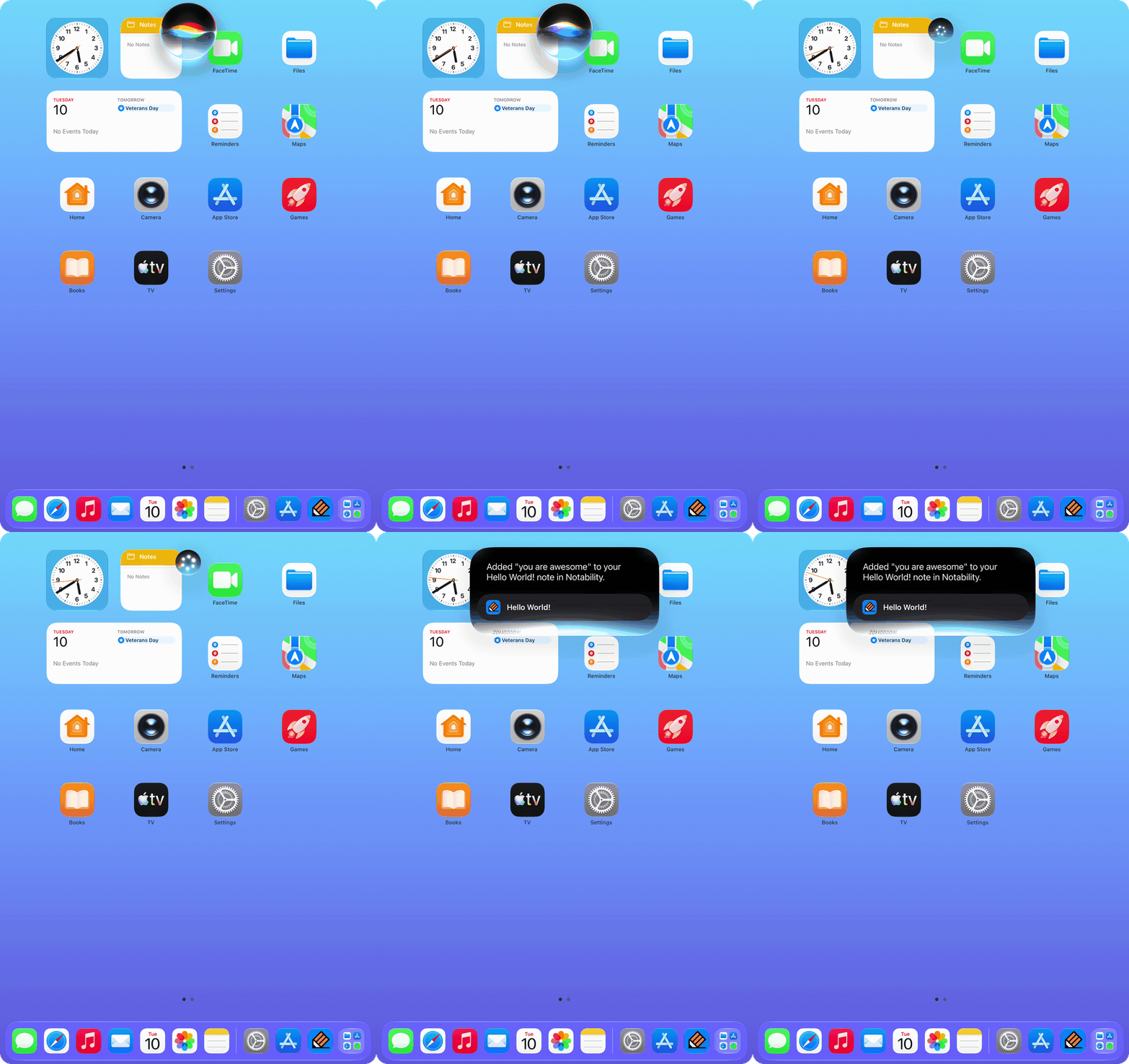
Most of us have had that moment on a long walk, run, or bike ride when a sudden realization, a question, or an interesting thought pops into your head. You don't have to break your stride to type it out. Ask Siri to add it to a note in Notability, and keep going.
For the determined multitaskers, you can get your 5-mile jog in while Siri quizzes you on your bio notes. Siri can also summarize a note or answer further questions about it, which makes it a handy study partner on the go. Though when you're back at your desk and want study materials that dive deeper, the AI tools on our app are better built for that.
Go from PDF to annotated note in one request
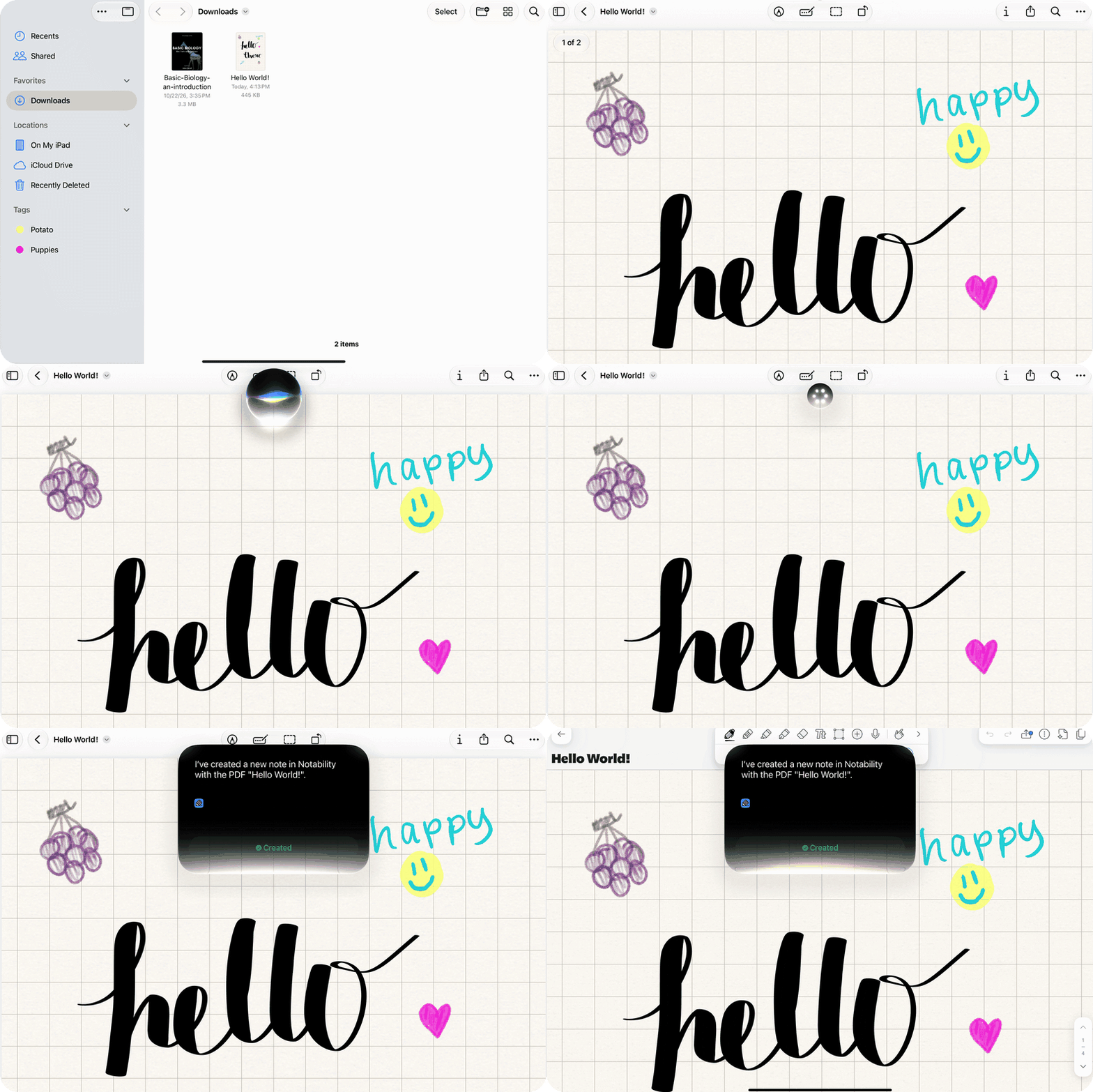
Your professor just posted next week's readings, and you want them in Notability before class. When you have a PDF open in the Files app, ask Siri to “Create a note in Notability with this PDF,” and Siri will make a new note with the PDF inside. You can follow up with “Open it” to jump in and start annotating.
The same goes for anything else that arrives on your device as a PDF, a lab handout, a lease, or the manual for the dishwasher you finally have to fix. It can go straight from your downloads to the page you write.
How we built it
Aidan Dysart is the iOS engineer behind what made Siri AI compatible with our app. He explains that user's notes hold a lot more than typed text, and Siri needed to understand all of it. He built the function on Apple’s App Intents API, which packages the things you do in Notability, such as opening or creating a note, into small actions Siri can run on your behalf.
To give Siri the content of your notes, we index your handwriting, PDF text, and audio transcripts in Spotlight, the same technology that powers search on a Mac. Another part of this process was working out how to shape each action the way the system expects, and how to index every note without slowing the app down.
“The sky's the limit. People are going to do things with Siri in Notability that we haven't thought of yet, and I can't wait to see what they are,” Aidan says.
Draw smoother lines with ink stabilization
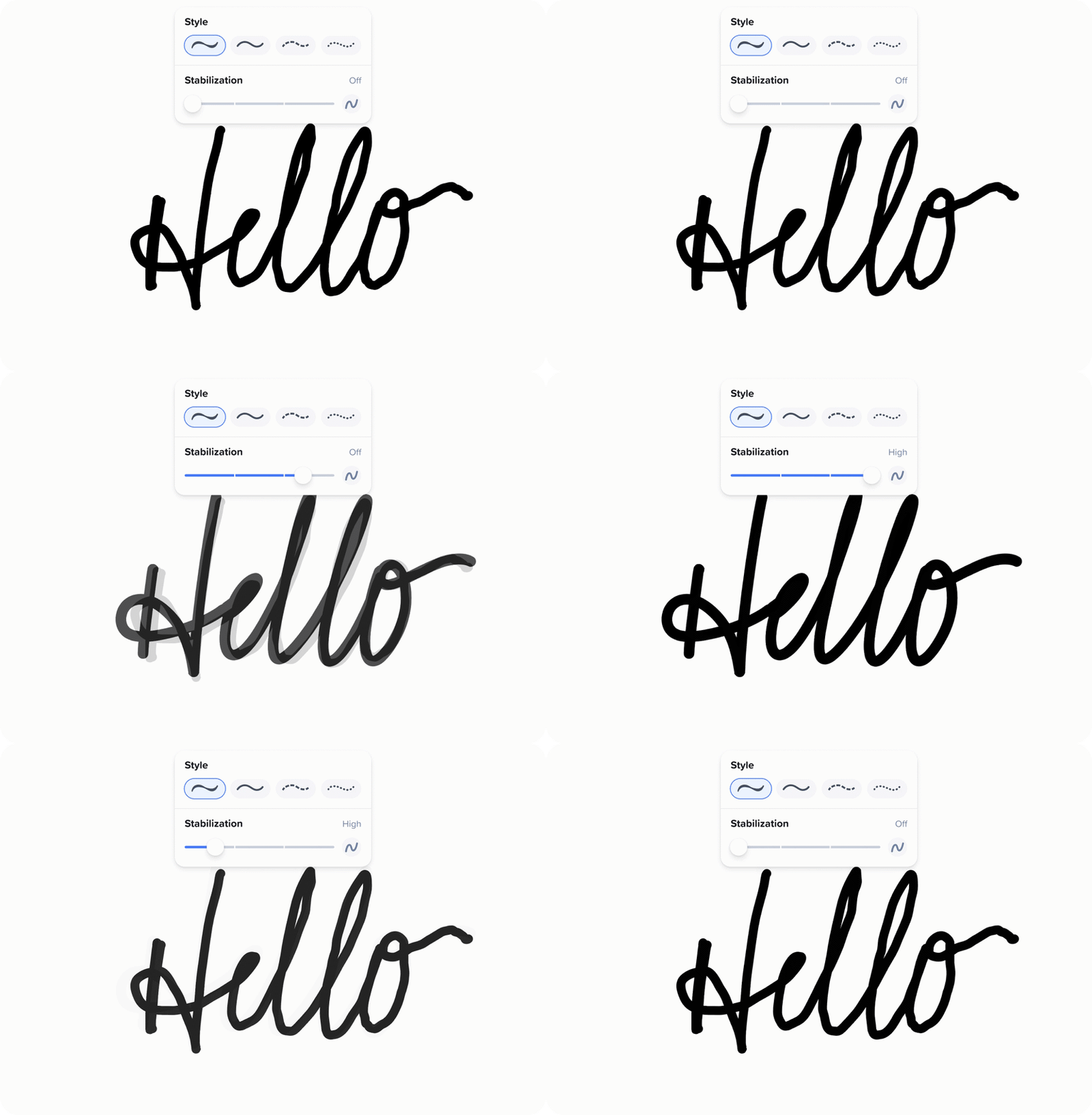
By popular request, Ink Stabilization is officially here. Our hands tend to wobble when drawing long strokes, whether you're tracing a curve on a graph, writing in cursive, or underlining a heading. Ink stabilization smooths that wobble out as you write, so your lines land closer to the shape you want.
To adjust Ink Stabilization for one tool, tap that tool's style button in the styling tray and drag the Stabilization slider. You can choose 0, 0.3, 0.6, or 1.0, and each pen, pencil, and highlighter keeps its own level.
To set a default for every tool, go to Settings › Note Editor › Handwriting & drawing › Stabilization. If a tool already has its own level, the app will ask whether to reset it to the new default or keep it as is.
What’s next
Siri is at the start of what it can do in tandem with our app. Update your iPhone or iPad, ask Siri about the note in front of you, and let us know what functions you want her to complete next under the post on our subreddit.
Frequently asked questions
Q: Does Notability smooth my handwriting?
A: Yes. Notability’s ink stabilization smooths out wobble in your pen, pencil, and highlighter strokes as you write. You can set it for each tool from 0 (off) to 1.0, and it starts at 0.3.
Q: Why do my Notability notes keep downloading?
A: Notability notes that keep spinning and never finish downloading are usually caused by iCloud sync. Moving your notes to Notability Cloud should fix the issue.
Q: Can you turn off Ink Fill in Notability?
A: Yes. An option to turn off Ink Fill in Notability is coming in the next update, so a long press inside a shape won’t fill it unless you want it to.
Q: Can you write on PDFs in Notability?
A: Yes. You can import a PDF into Notability and write, highlight, and type directly on its pages, which makes it easy to mark up readings, worksheets, and forms.
Q: Why should I get Notability Classic?
A: Notability Classic is a one-time purchase, so you pay once and own the app without a subscription or renewals. Classic includes unlimited notes, handwriting recognition, math conversion, live collaboration, syncing across iOS, Android, and web, and 7-day version history.