A New Chapter for How You Work and Learn
Discover the powerful new features available in Notability: live collaboration, Folders, and Notability for Business.
TL;DR
- Notability is here with new collaboration, organization, and customization features in version 16.0.
- Introducing Notability for Business, a modern note-taking system for teams with Shared Libraries, real-time collaboration, and flexible permissions (available on Notability Cloud).
- Live collaboration lets you see teammates working on the same note in real time (available on Notability Cloud).
- Folders, a redesign of subjects and dividers, make it easier to organize notes with deeper and more flexible structure.
- New Tape colors and patterns give you more ways to highlight ideas and personalize your notes.
- If you haven’t done so already, you can update to Notability Cloud to access these new collaboration features.
Since our team first launched the Notability app, the way we work and learn has changed. Notes aren’t only personal anymore. They're shared in meetings, discussed in study groups, and built together with teams. In this update, we’re introducing new features designed to make collaboration easier, organization simpler, and note-taking more connected than ever.
Notability for Business is Here
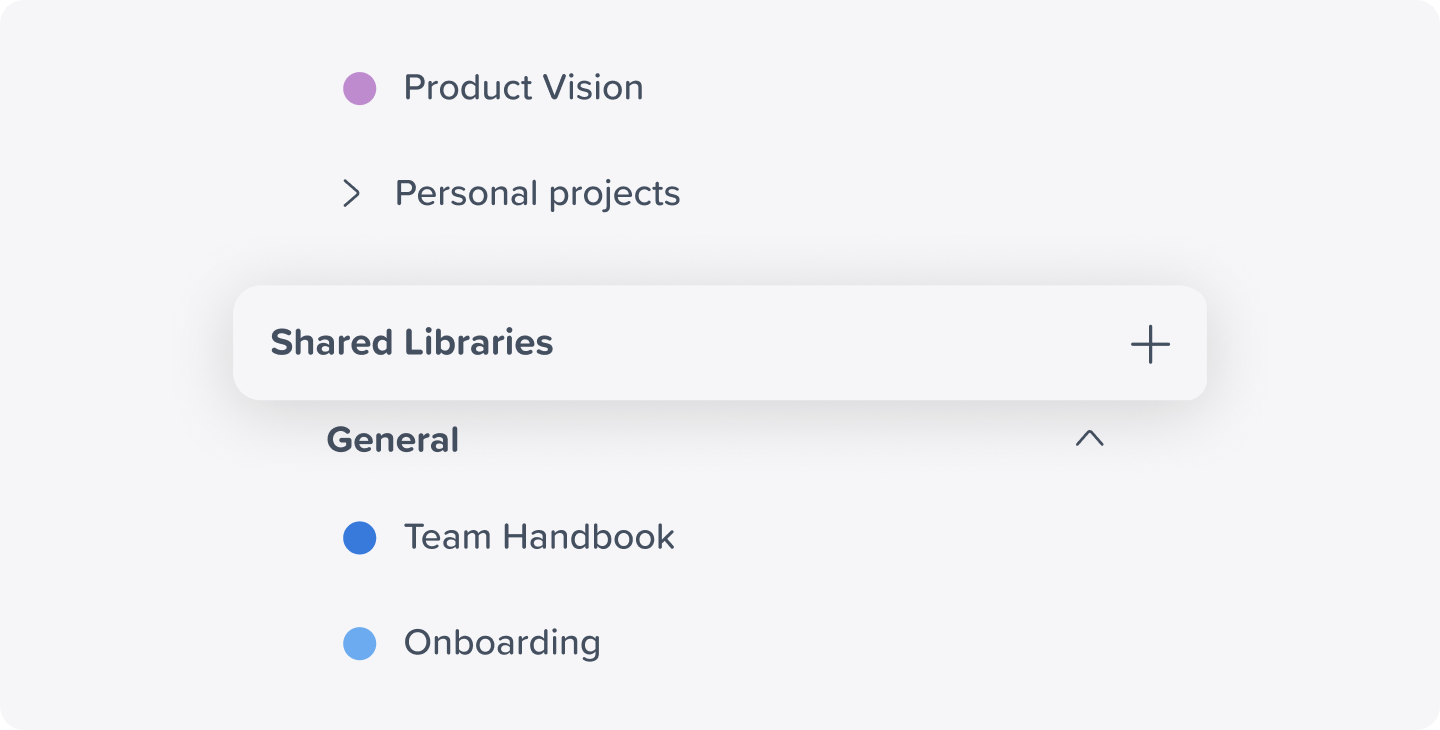
Teams today move quickly, but their tools don’t always keep up. Notes live in one place, documents in another, and meeting takeaways somewhere else entirely. Notability for Business brings these workflows together in one modern note-taking system designed for teams.
With Notability for Business, organizations can:
- Keep notes, documents, and ideas in one shared workspace
- Collaborate in real time on the same notes
- Control who can view, edit, or manage content
- Create Shared Libraries that give teams easy access to important information
The goal is simple: help teams spend less time managing tools and more time focusing on ideas. And because getting started should be easy, there’s no complex setup required. Teams can begin collaborating right away.
Please note: Notability for Business is only available for users on Notability Cloud.
Live Collaboration, Right Inside Your Notes
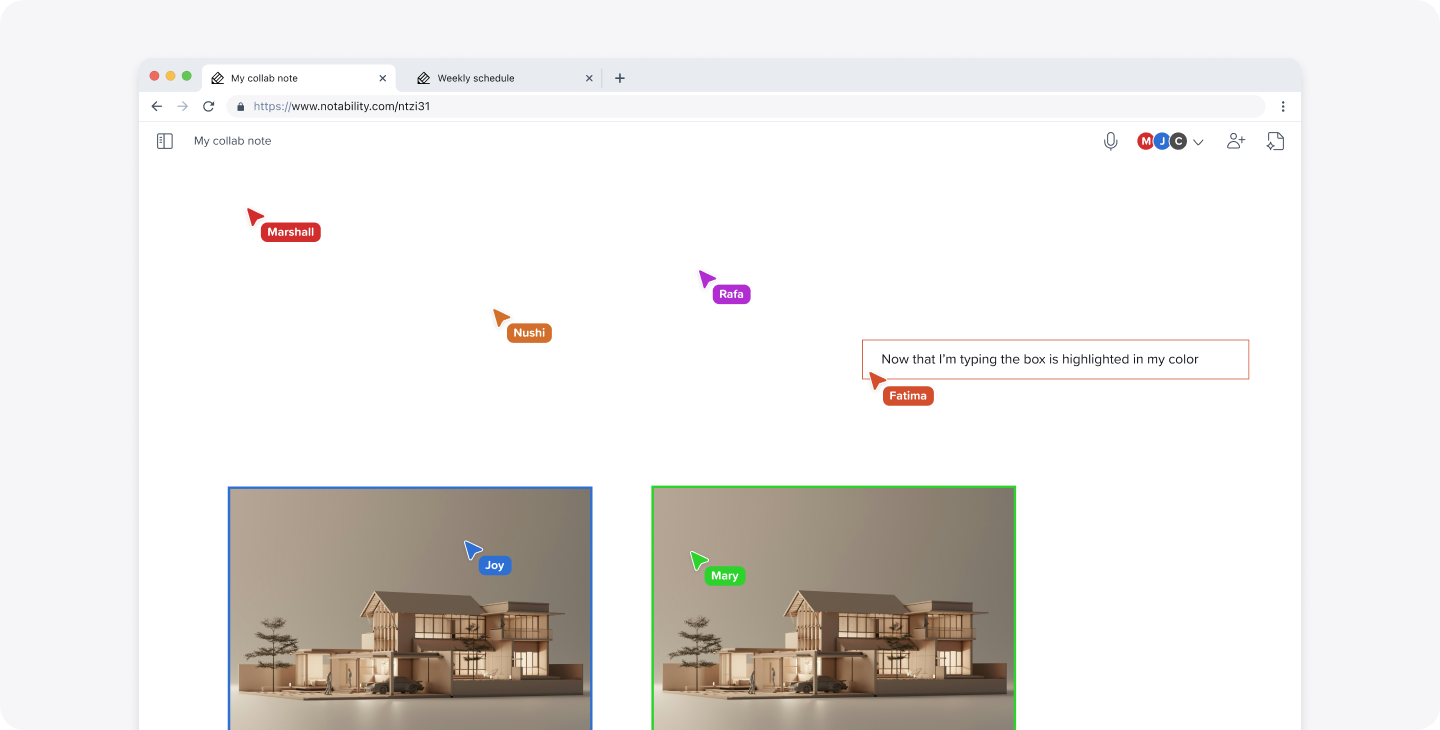
Great ideas often happen together. With live collaboration, you can now see other contributors directly inside a shared note as they’re working. Whether you’re brainstorming during a meeting, studying with classmates, or reviewing a document together, everyone can add ideas in real time.
You’ll see collaborators appear in the note as they write, sketch, and edit, making teamwork feel natural and immediate.
Please note: Live collaboration is only available for users on Notability Cloud.
Nest More with Folders
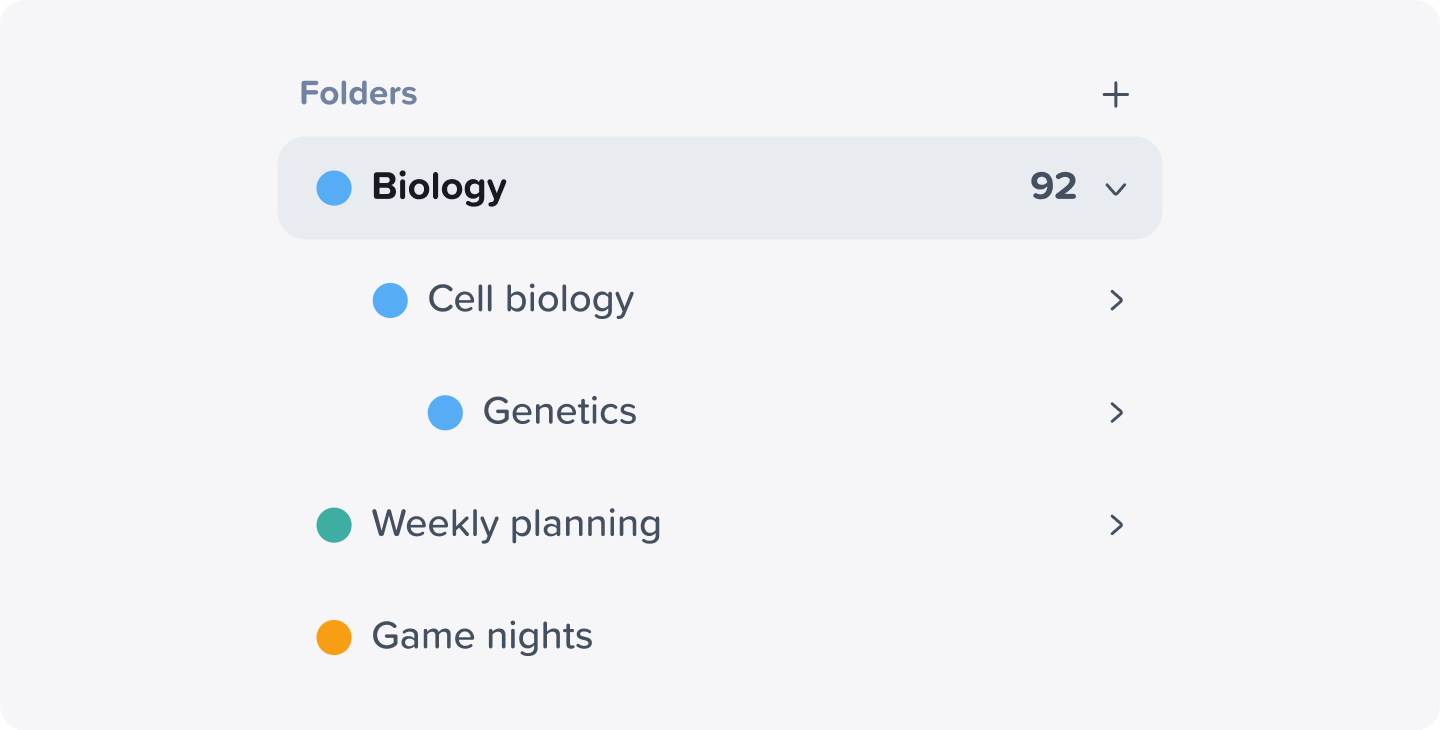
As notebooks grow, organization becomes even more important. In this update, we’ve upgraded Notability’s subjects and dividers system to support Folders, making it easier to structure your notes the way your mind works.
Create folders within folders to organize classes, projects, and workspaces. The result is a deeper, yet simpler, way to keep everything in its place.
More Ways to Customize with New Tape Patterns and Colors

Your notes are personal, and the way you structure them should be too. This update introduces new tape patterns and colors, giving you more creative ways to:
- Cover content in your note to practice active recall
- Separate sections of a page
- Emphasize key concepts
- Add personality to your notes
Whether you're studying, planning, or sketching out ideas, these new customization options help your notes reflect the way you think.
Powered by Notability Cloud
All of the new collaboration and organization features are available to users on Notability Cloud in version 16.0 of the Notability app. If you haven’t yet, you can update your library to Notability Cloud by meeting the following requirements:
- You have a strong internet connection.
- You’re currently on an iPad with the Notability app installed and signed into your account.
- You have fewer than 2,000 notes.
- You have more than 10GB of free device storage.
- You’re on Notability version 15.3.7 or newer.
- You’re not located in China nor Macau and do not have a Chinese App Store account.
- Your device is not managed by MDM (school, university, or employer-managed account).
- You are not a Beta user (if you see a rounded rectangle settings button in the top right corner of a note, you’re on Beta and not eligible).
Once you meet these requirements, begin your update by clicking on the button below while on an iPad with the Notability app installed.
Looking Ahead
Every release of Notability is shaped by the people who use it every day: students learning new concepts, professionals capturing ideas, and teams working together to build something meaningful.
Version 16.0 is a step toward a more connected note-taking experience, where collaboration, organization, and creativity all live in one place. We can’t wait to see what you create with it. 💙
– The Notability Team

.png)