What's New in Notability for Android
Learn, Finish My Notes, academic planners, and glitter pens. Everything we've added to Android since launch, just in time for midterms.
.png)
TL;DR
- Learn: AI summaries and quizzes from your notes and recordings, in Practice, Memorize, and Test modes.
- Finish My Notes: combines your typed notes and your recordings into one complete note.
- Stickers: add your personal touch with fun stickers, using various themes from fruits, animals, holidays, shapes, and more.
- Templates and the Gallery: access the 2026–2027 Academic Planners, and share any note with the community through the Gallery
- Rainbow and Glitter pens: add whimsy to your notes with pens exclusively on Android.
- Plus better search and indexing, live collaboration, the Ruler, tape improvements, comments, Classic (a one time purchase option), and more giveaways on the way.
We launched our app on Android in August, and haven’t slowed down since. We kicked things off with a 25% discount and a giveaway to celebrate, where users entered to win a Samsung Galaxy Tab with an S Pen. Then, we brought over some of your favorite features from iOS and added a few you'll find only on Android. Here's everything that's been happening on Android in the last couple of months, and how to put it to work.
Study smarter for midterms with Learn
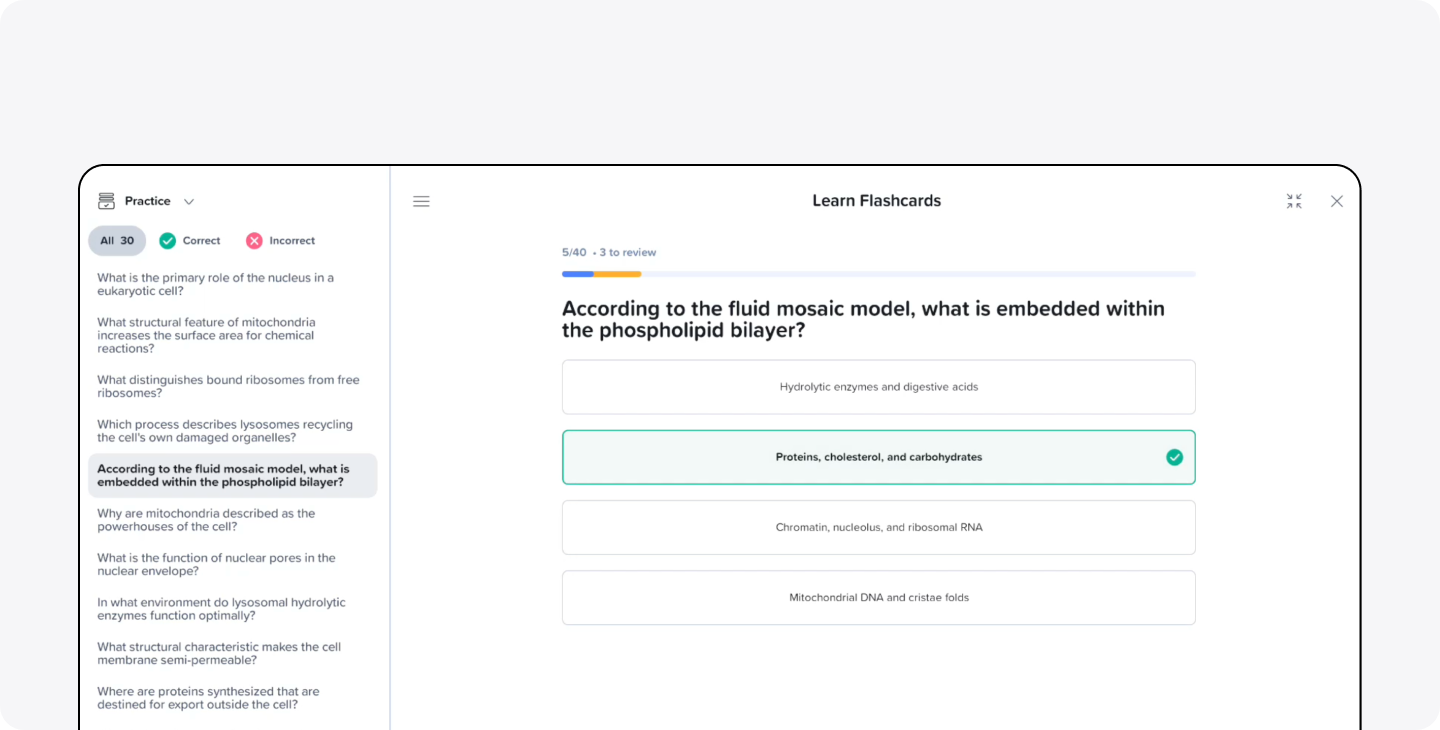
Midterm season is here, and the last thing you want is to spend the night before your exam turning your notes into study materials. Learn does that part for you. Record your lecture while you take notes, and Learn turns what you captured into summaries and quizzes in three modes: Practice for multiple choice questions with instant feedback, Memorize for active recall, and Test for practice exams with multiple question types. That way, you're studying what your class and professor actually covered, not a generic deck someone else made on the internet. You can open Learn right from your Home screen or from the sidebar in any note. Watch how audio recording and Learn work together.
Keep up with all the details using Finish My Notes & connected calendar
It’s hard to keep up with a fast lecture or a packed meeting and catch every word. Finish My Notes fills in the gaps. Our platform connects to your calendar and offers to start capturing audio when a meeting begins, so you don’t have to remember to hit record. When you’re done recording, it combines your typed notes with what was said and creates one complete note. In Finish My Notes, your writing always stays bold, so you can always tell which parts are your own and what was added after. In just a minute or two, your hour-long recording processes to become a complete note.
Make your notes yours with Stickers
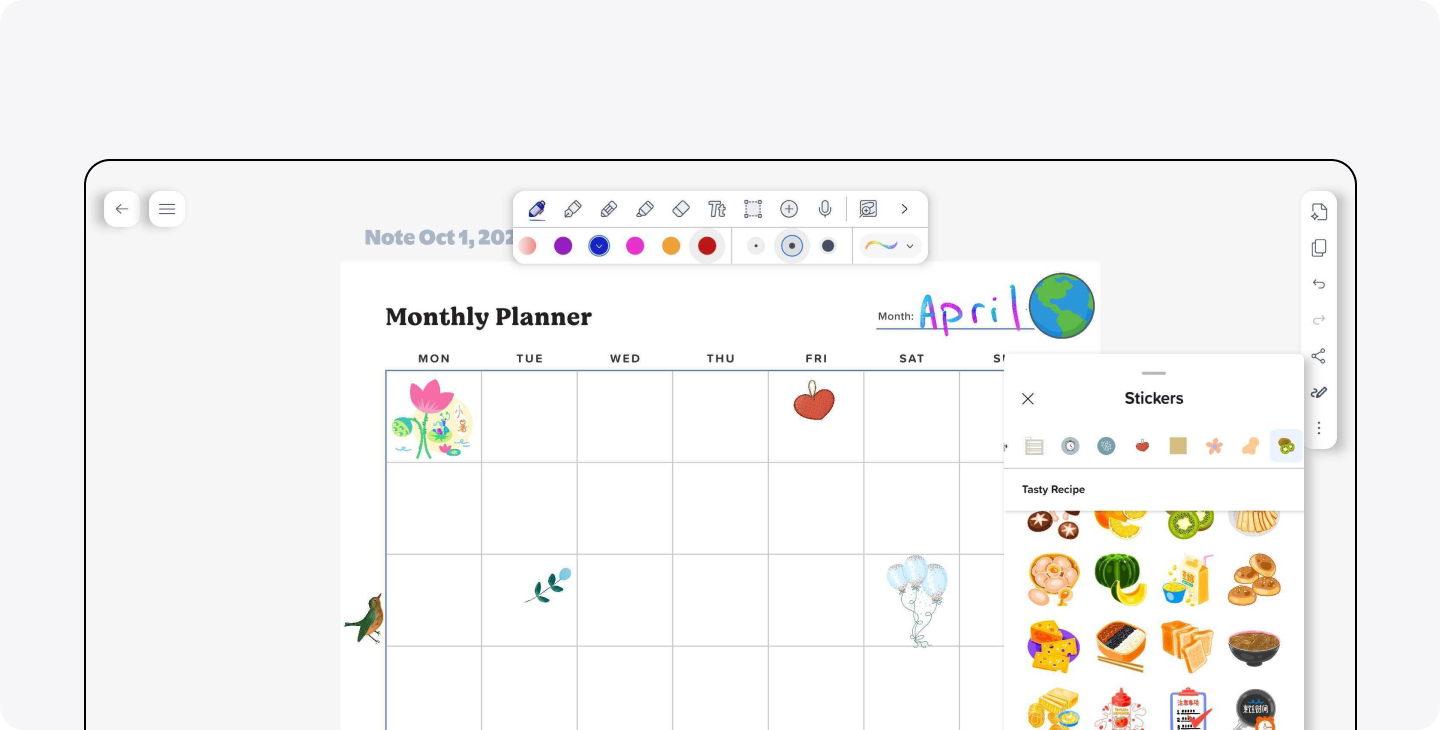
Stickers are an easy way to add a little personality to your notes, and they're useful too. Choose from a variety of sticker packs, from fruits and cute animals to holidays and shapes. From there you can use shapes like arrows and circles to call out the important parts of a lecture. You can use stickers to drop balloons on the date of your friend's birthday in your planner, a pumpkin to remind you about your Halloween potluck in class, or a star next to the assignment you turned in. You'll find them all in the Sticker Picker in your Toolbar.
Plan and share with Templates and the Gallery
Templates are now on Android, including our 2026–2027 Academic Planners. With midterms coming up, map out every exam date with the Course Overview page, break your study plan into manageable chunks with the Assignment Planner, and keep track of who's covering what for group projects with the Group Project Planner. To get started, create a new note, select Templates, then Planners.
You can also now submit any note to the Gallery through Share. Post your biology notes with hand-drawn diagrams, a weekly planner decorated with stickers, or a doodle from a slow lecture, and share your creativity with the rest of the Notability community!
Write with Rainbow and Glitter pens
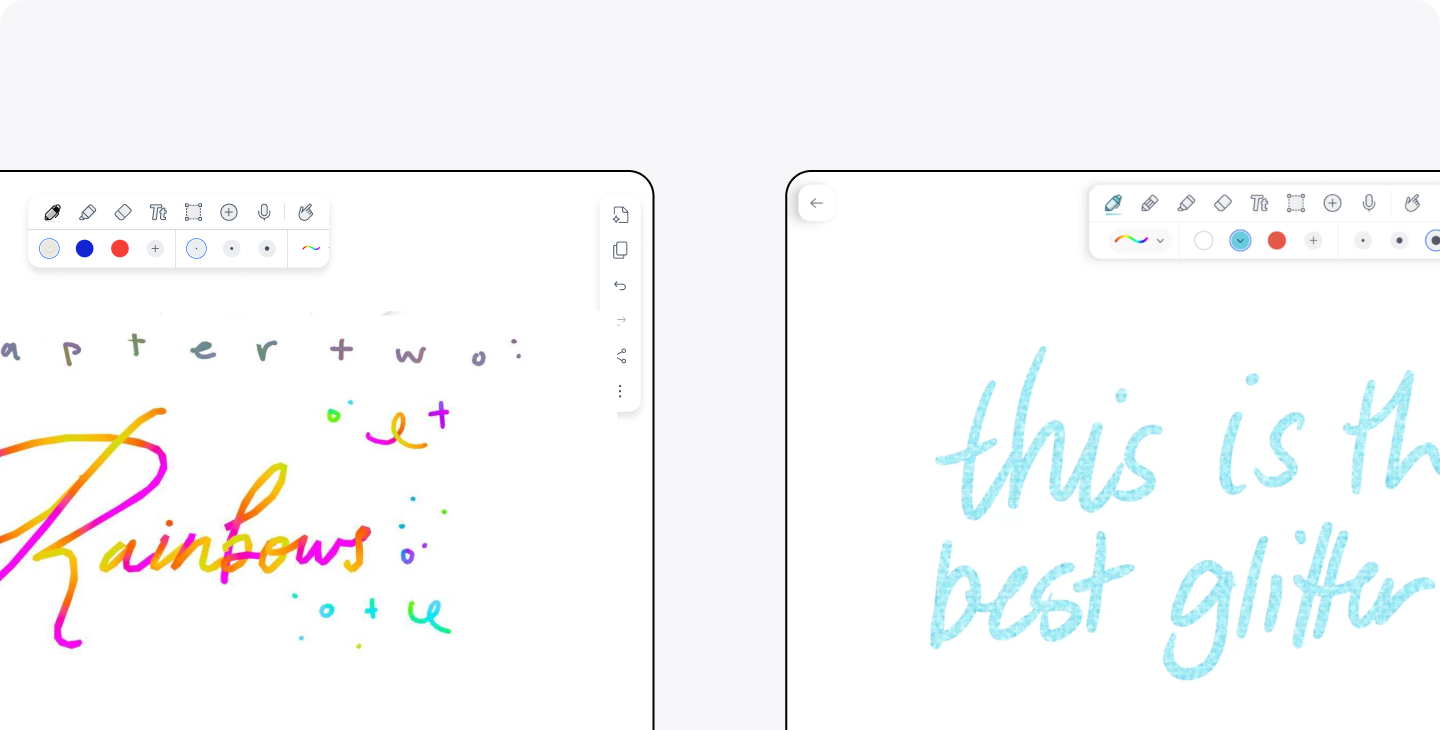
Sometimes regular colored ink just isn't enough. The Rainbow pen on Android shifts through colors as you write, and the Glitter pen adds shimmer and fun to every stroke. They're great for section headers, titles, or anything you want to catch your eye when you flip back through your notes. Both pens are available now, and we're still fine-tuning them, with improvements rolling out through the end of October.
To find these exclusive pens, tap the pen in your Toolbar, tap the drop down arrow next to the stroke button on the right, and choose either Rainbow or Glitter.
More features, more chances to win
In addition to these updates, we've improved Android’s search and indexing so the right note turns up faster, added live collaboration, the Ruler, tape improvements, and now Classic, our one-time purchase option. And there's still more on the way. We're continuing to add new features to Android and making existing ones even better. We also have more exciting giveaways coming soon, so follow us on socials and check out our subreddit to stay in the loop.
New to Notability on Android?
Our quick video guides will get you up to speed:
- How to use Notability on Android (full guide)
- How to take notes in Notability for Android
- How to organize your notes
- How to turn presentations into study guides
Thank you to everyone who has used our Android app, sent feedback, and helped us figure out what to build next. We've been listening, and we hope it shows.