Turn Your Handwritten Notes Into Graphs, Text, and Math
Clean up your notes before midterms in a couple of taps with handwriting, math, and graph conversion in Notability.

TL;DR
- With our latest update, you can turn your handwritten work into graphs by selecting it and tapping Convert, then Graph, so you can see a function or data set plotted right in your note.
- Select your handwriting and tap Convert then Text to make it typed, and Convert then Math to turn handwritten equations into clean, readable math you can edit in LaTeX.
- Save the formulas you use most by selecting them, tapping Group, then Save, so they’re waiting under My Stickers whenever you need them.
Midterm season is in full swing, and your study time is precious. There’s no room in the schedule to distinguish between your lecture scribbles and the equations you need to memorize for tomorrow’s exam. With Convert, cleanup only takes a couple of taps. You can turn your handwriting into searchable text, your equations into clean, readable math, and, with our latest update, your work into graphs.
Whether you’re taking Calculus, Statistics, General Chemistry, Physics, or Microeconomics, organized notes simply make studying faster. Here’s how to use each conversion to get ready for your next exam.
Turn your notes into graphs
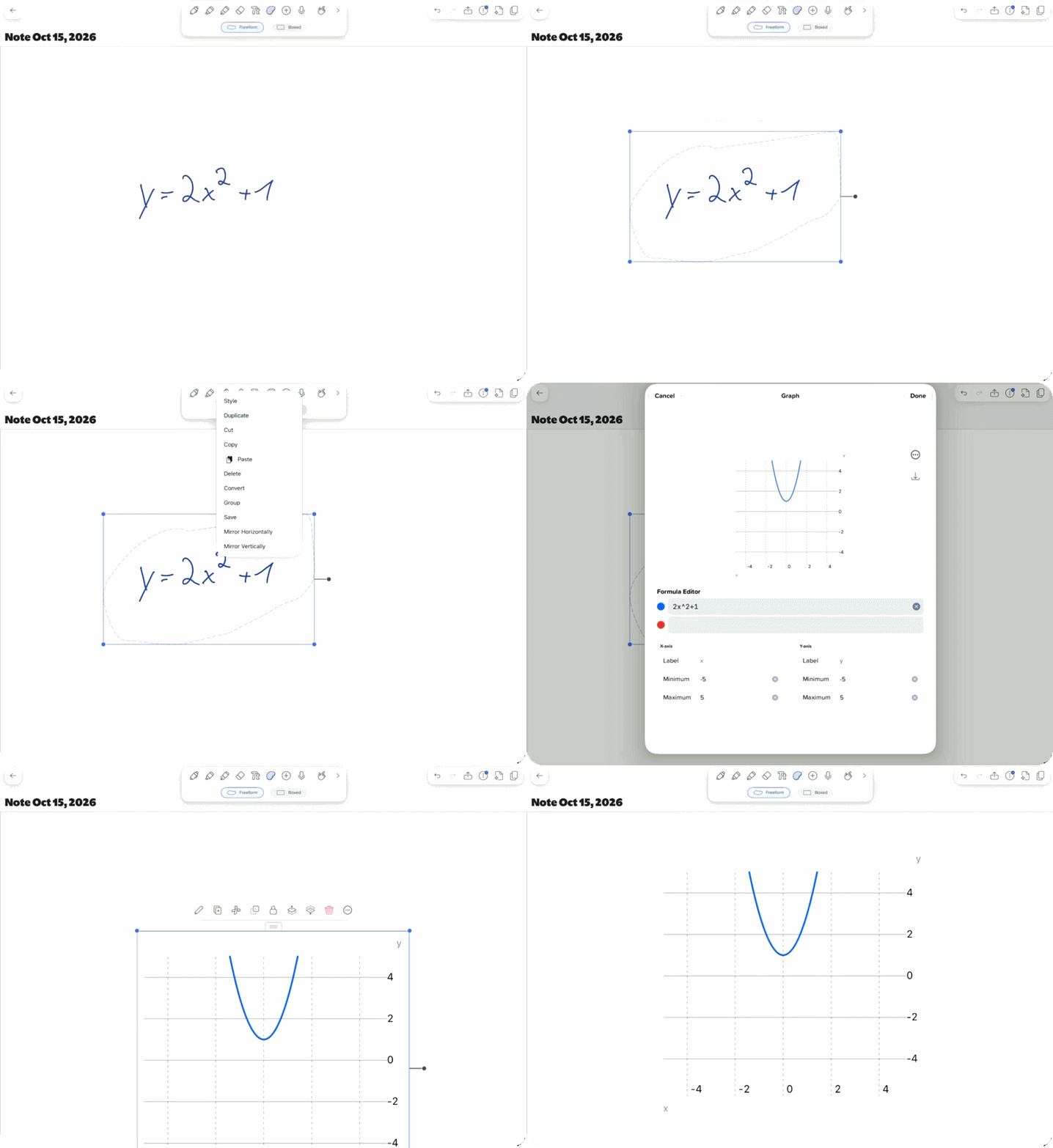
There are many concepts in Math and Economics that don't fully click until you can actually see them visually. You can memorize what a derivative says about a curve, or how a price change shifts demand, but it's easier to understand once it's in front of you. With our latest update, you can select your handwritten work and tap Convert then Graph to plot it right in your note. It's an easy and quick way to check a Calculus problem, a Statistics data set, or a supply and demand curve while studying.
Convert handwriting to text
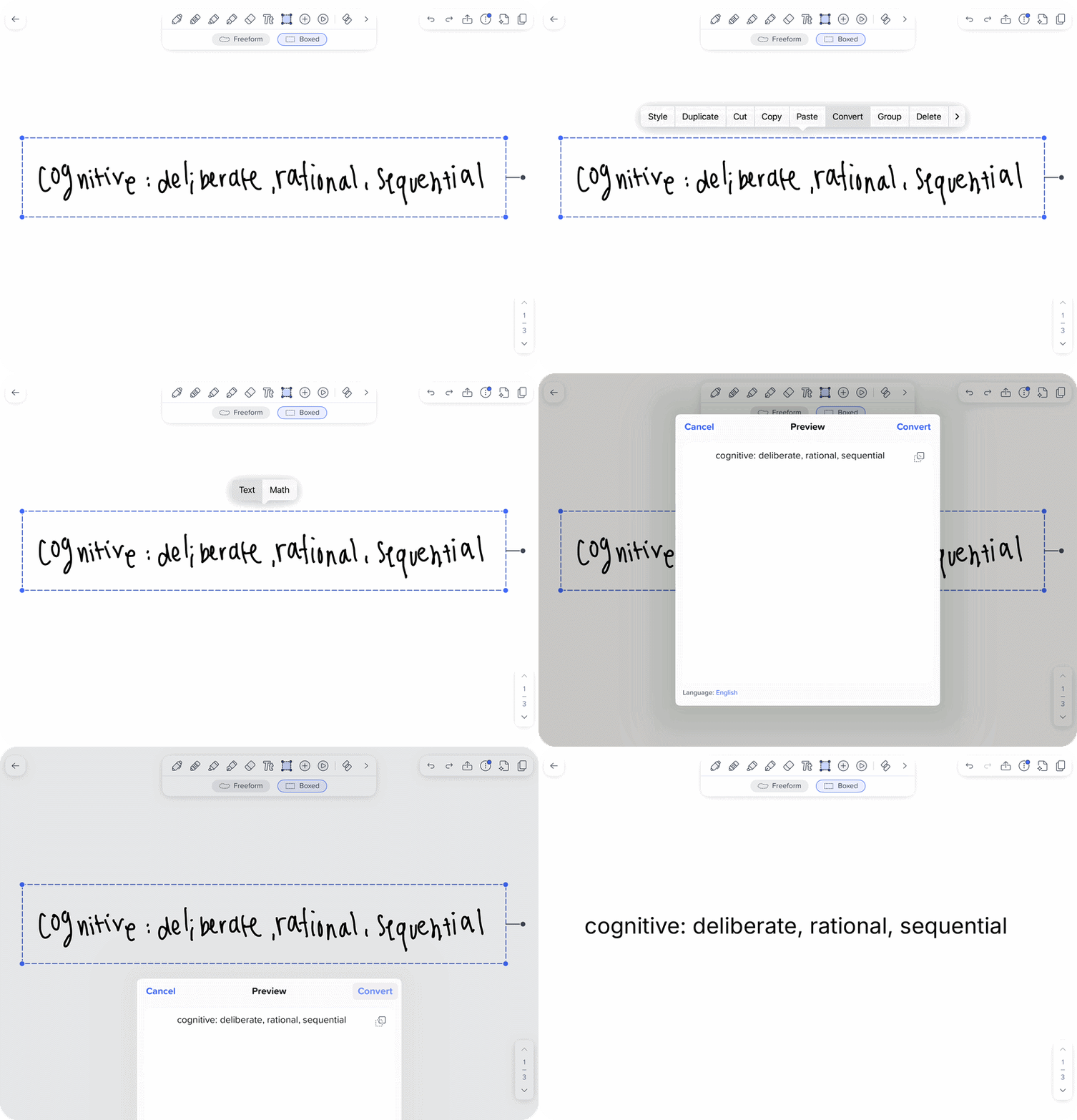
Getting stuck on details that aren’t productive, like trying to figure out whether you wrote "variance" or "variable”, is never a fun time. Handwriting Recognition solves that by turning your handwriting into typed text. Tap the Select icon, circle the ink, tap inside the box, then select Convert then Text. Once your notes are displayed clearly, you can search them across every note. Next time when you can't remember which lecture covered the central limit theorem, you'll find it in seconds.
Convert handwritten equations to math
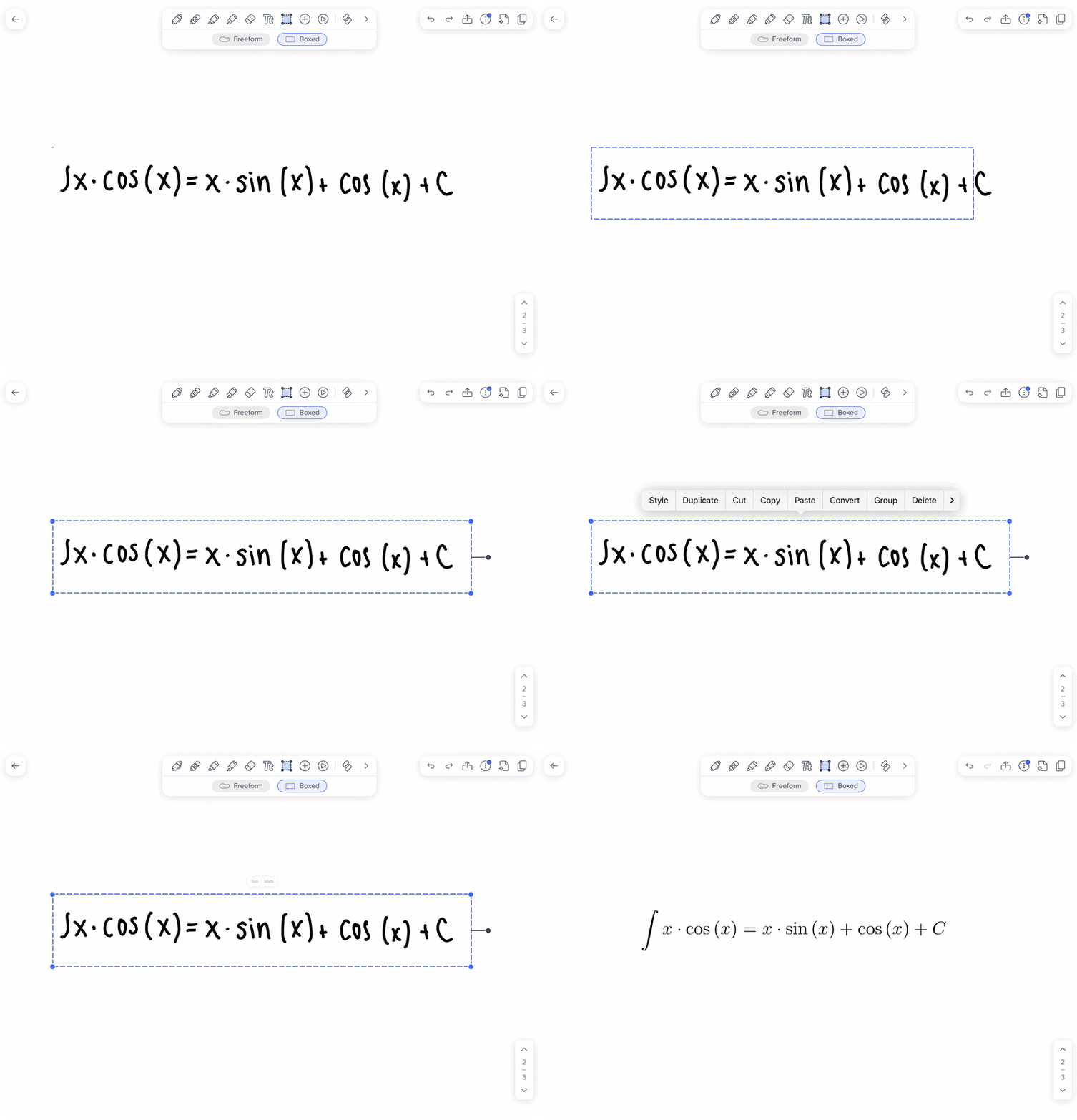
It’s inevitable that equations copied off the board in a fast-paced class won’t make sense a few weeks later when suddenly it's hard to tell whether you wrote a 2 or a z. Math Conversion turns handwritten equations into hi-resolution, scalable images that are easy to read and study from. Select your equation, then tap Convert then Math. Your color-coding stays, and if something converts wrong, you can fix it in the LaTeX editor.
Save formulas as stickers
The integration by parts formula shows up on almost every Calculus exam, and by midterms you’ve probably written it out a dozen times. Instead of copying it into every new note, save it as a sticker. Tap the Select icon, draw around the ink, tap inside the selection, then select Group. Select Save, and it’ll show up under My Stickers, ready to drop into any note. You can create a small sticker set for each class, like the unit circle for Calculus or the ideal gas law for Chemistry, that way your go-to formulas will always be one tap away. For step-by-step instructions on converting handwriting and math, editing ink, and making stickers, check out our support article.
Build your midterm study guide
The night before an exam is stressful enough without having to decode your own handwriting or flip through weeks of lectures to find one equation. When your notes are clean, organized, and easy to search, reviewing the material becomes a lot less overwhelming. You can spend more time working through practice problems, revisiting concepts that still feel tricky, and making sure you understand the material before exam day.
With graph conversion now available, you can also turn your handwritten work into visual representations that make tricky concepts easier to understand. Try it out with your next problem set and see how it changes the way you study. Good luck on your exams!

.png)