Build Your 2026 Digital Planner
Explore Notability’s 2026 digital planners, built for work, school, and life, and designed to work seamlessly with your notes.
A new year brings fresh goals, new routines, and a chance to design your days with intention. Whether you’re planning classes, projects, workouts, or everything in between in 2026, the right system can make all the difference.
To help you start the new year feeling organized and inspired, we’re excited to introduce Notability’s 2026 Digital Planners. These thoughtfully designed planners work seamlessly with your notes, calendar, and daily workflows in Notability.
To view the new digital planners, tap and hold New in your notes library in Notability, then select Templates. You can choose which color cover you like and select the option to start your weeks on Monday or Sunday.
Meet the 2026 Digital Planner Collection
2026 Digital Life Planner from Notability
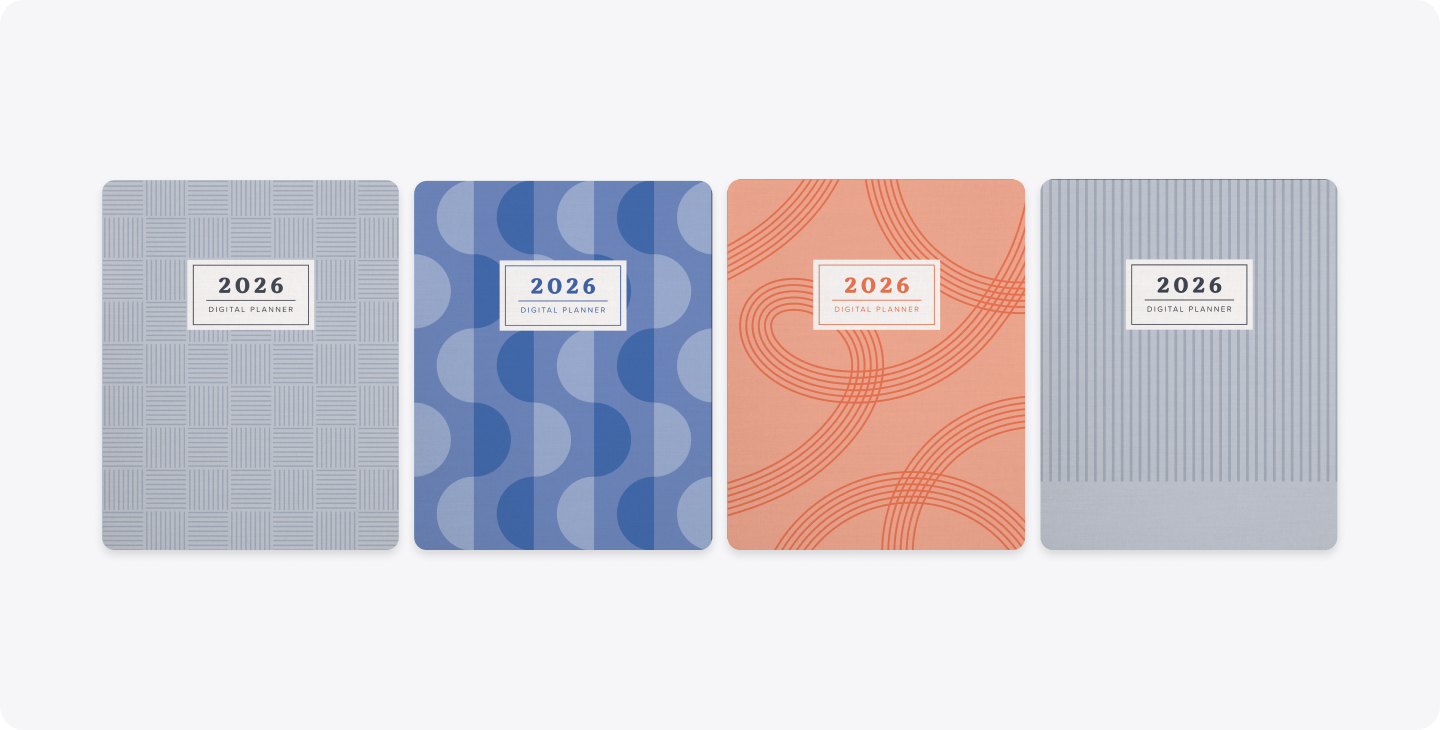
- Available in grey, blue, and orange
- Designed for everyday planning, this all-in-one digital planner helps you manage goals, routines, and tasks across work, school, and personal life. It's built for users who want structure without overcomplication, and the flexibility to customize as they go.
- What’s inside:
- Yearly and monthly planning pages
- Goal, routine, habit, meal, and task trackers
- Grid, lined, blank, and dot paper templates
Pro-Tip: You can include links to Google Calendar events from the hourly section of the daily pages, making it easy to align handwritten plans with real-world schedules. You can also view the support article from the index page to discover more tutorial tips.
2026 Yume Techo Planner by Nozomu Noto
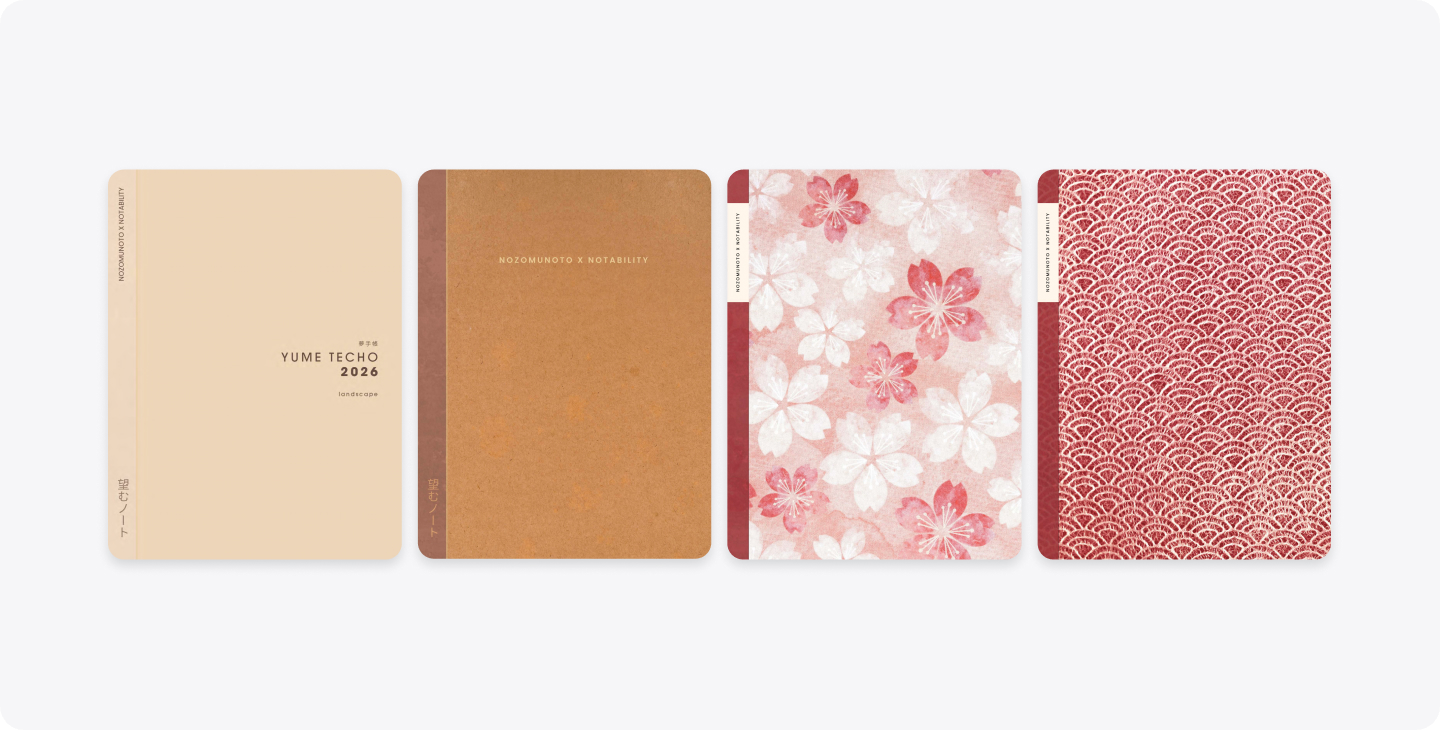
- Available in brown, tan, red, and floral
- The Yume Techo (夢手帳, or “Dream Notebook”) is a deeply reflective planner built for intentional living, creativity, and long-term growth. It's ideal for users who want their planner to be a journal, goal system, and life archive all in one.
- What’s inside:
- Monthly and daily tracking pages
- Vision board, bucket list, skills to learn, and achievements trackers
- Finance, bills, and online purchase trackers
- Wellness trackers for routines, vitamins, medicine, fitness, and meals
- Study, work, social media, travel, and media consumption planners
Pro-Tip: There are downloadable Apple shortcuts from the Yume Techo Planner to streamline common actions like jumping straight to today’s page or logging recurring tasks. You can also view the support article from the index page to discover more tutorial tips.
2025–2026 Academic Planner from Notability
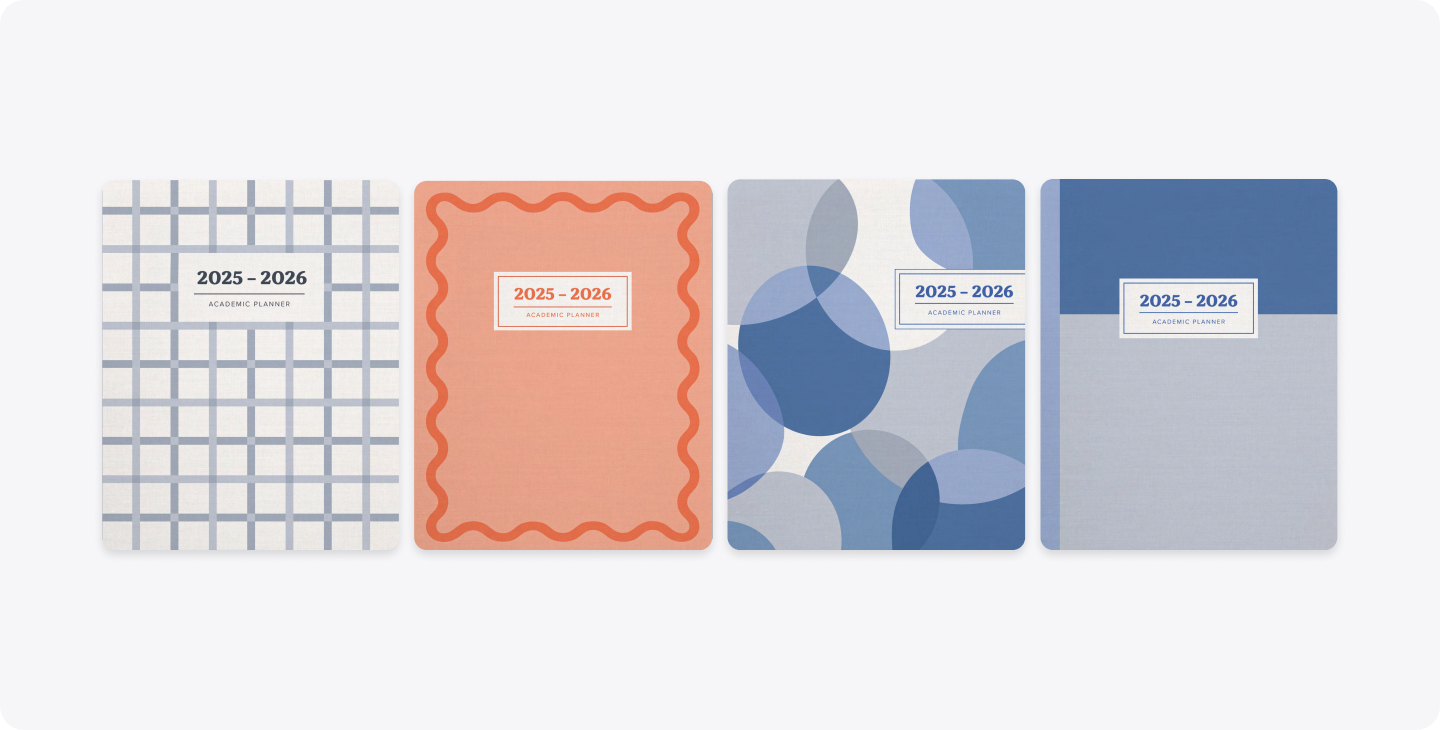
- Available in grey, blue, and orange
- Continuing from its 2025 launch, this academic planner is perfect for students navigating a new semester or quarter with more deadlines and exams in the new year.
- What’s inside:
- Yearly overview and monthly planning pages
- Routine, meals, habits, and goal trackers
- Assignment, exam prep, and study session planners
- Group project planning pages
- Grade tracker and term start/end date pages
- Grid, lined, blank, and dot template options
How to Use Your Digital Planner in Notability
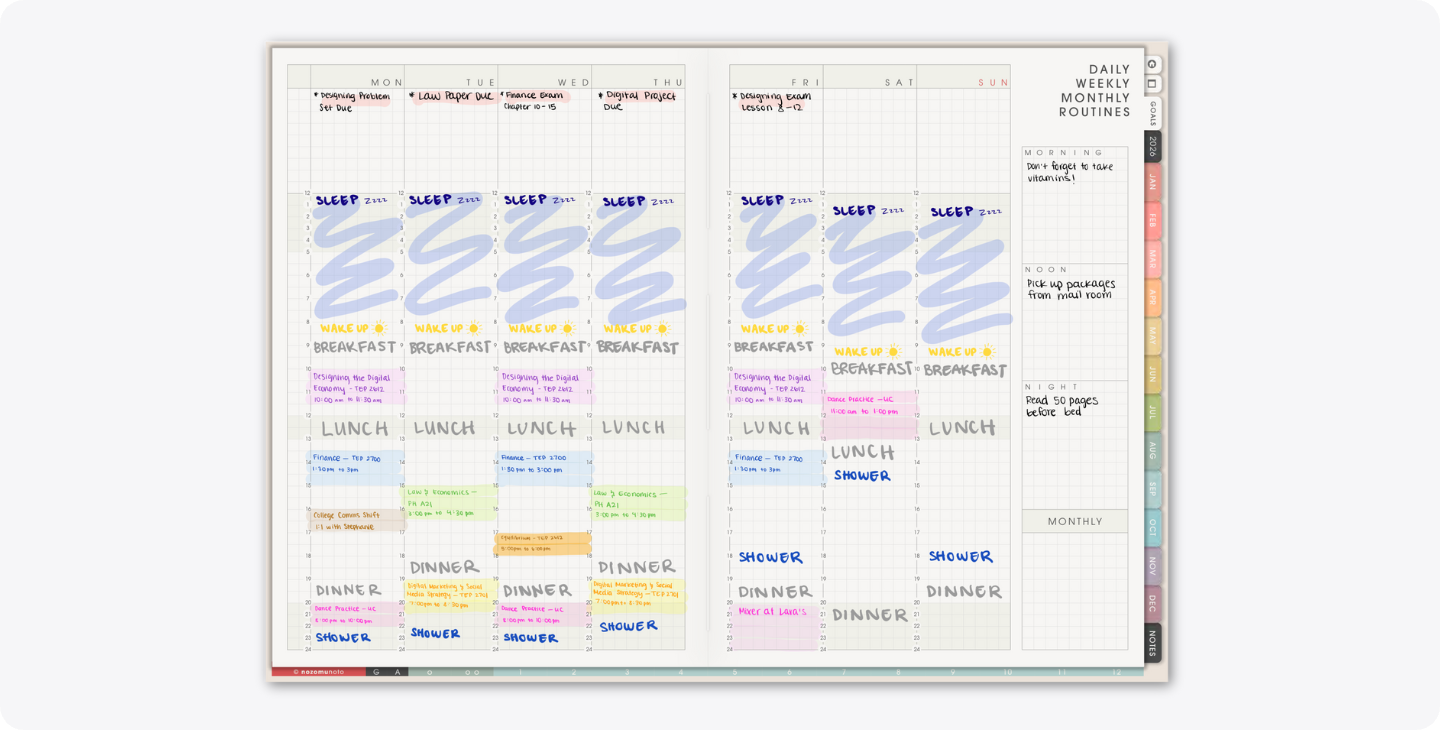
Build a Weekly Planning Ritual
At the start of each week:
- Review your monthly goals
- Map out priorities in your weekly pages
- Use Action Items from meeting or lecture recordings to populate to-do lists
- Adjust routines and habits based on what’s working! Consistency turns planning into progress.
Use Digital Ink Like Real Paper
Notability’s handwriting and digital ink make planning feel natural, whether you’re sketching layouts, color-coding priorities, or jotting quick notes. With handwriting search and conversion, you can instantly find past plans or convert them into typed text when needed.
Turn Notes into Action
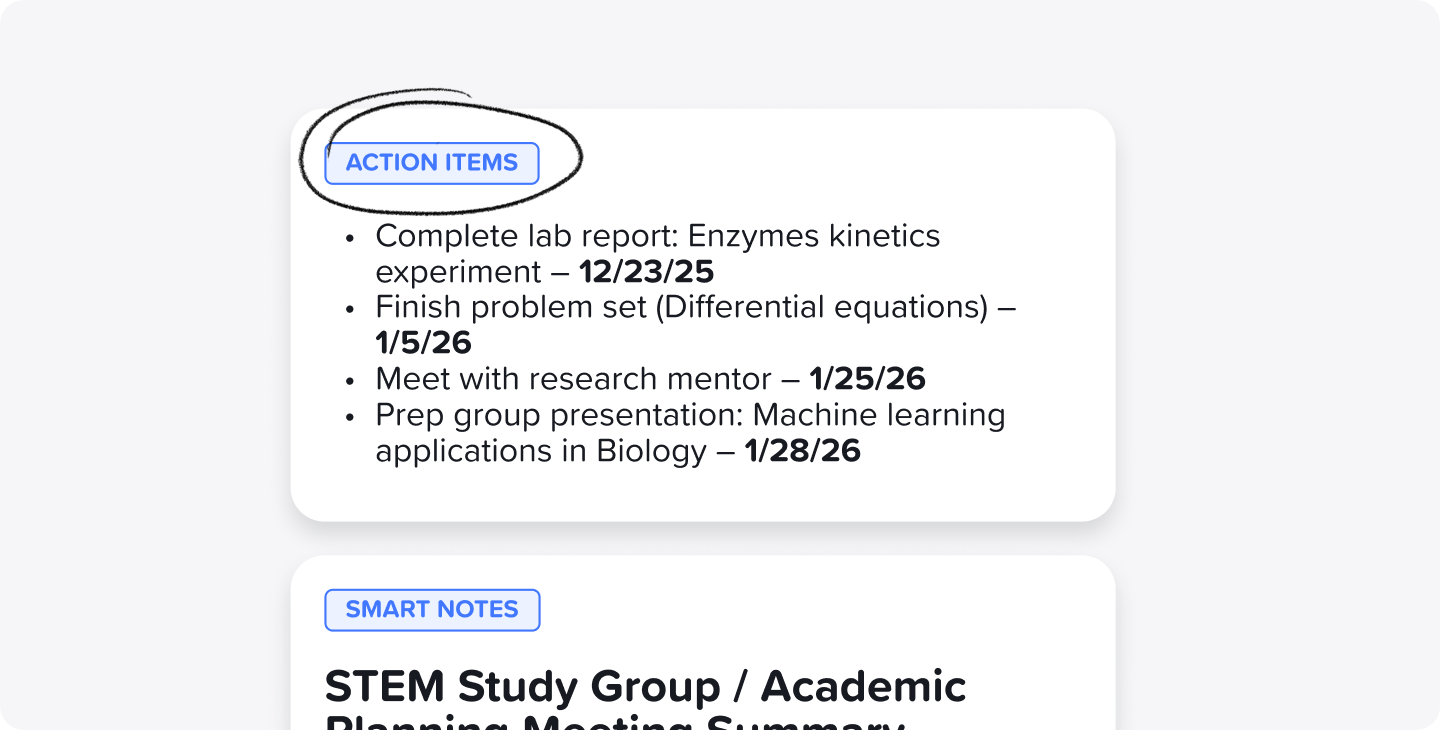
Record lectures or meetings and use Live Transcription to capture everything in real time. Generate Smart Notes using Notability Learn to review key points quickly. Then, pull automatic Action Items into your planner pages so nothing slips through the cracks.
Study and Review More Effectively
Students can turn their notes, lecture slides, and meeting minutes in Notability into:
- Quizzes, flashcards, and fill-in-the-blank exercises
- Sections of notes with Tape to practice active recall
- Searchable content across handwritten and typed notes to prep for exams and deadlines faster
Keep Work and Life Organized
Use folders and subjects to separate planners for work, school, and personal life. You can also keep everything in one place with clear sectioning. With Notability Cloud, your 2026 planner and notes stay updated across your iPad, iPhone, and Web, making your plans always within reach.
For work:
- Use monthly planning pages for project timelines
- Annotate PDFs and slides directly in your planner
- Present ideas using full-screen mode and the laser pointer
- Capture Action Items for team members after every meeting
For school:
- Track assignments and exams alongside class notes
- Use routine and habit pages to stay consistent
- Review past semesters with searchable handwritten notes
- Take notes from video lectures straight from YouTube on Web (coming soon!)
For life:
- Combine habit tracking, meal planning, and wellness pages
- Build vision boards and reflect on achievements
- Use templates to evolve your planner as your goals change
Make 2026 Your Most Organized Year Yet
Whether you’re planning classes, chasing big career goals, or simply trying to create better daily routines, Notability’s 2026 digital planners are designed to support every part of your life. Choose the planner that fits your style, personalize it in Notability, and start the year with clarity, creativity, and confidence.
Here’s to planning smarter, and living better, in 2026. ✨

.png)