Chat Across Your Notes: Get Unstuck, Faster
Chat Across Your Notes brings everything you've learned together in one place. Ask it a question and get answers grounded in what you've already written.
TL;DR
- Chat Across Your Notes is available now for Notability Pro users on Notability Cloud, on the web and iOS.
- Start typing your question right from the home screen. Notability will ask permission before reading specific notes (Allow/Deny), and you can revoke or re-grant anytime.
- Create a note, pull out specific information from an existing note, start recording, or access Learn all through Chat Across Your Notes.
You sit down in class, pull out your tablet, and take notes on the lecture. The notes then often sit there until you're studying for your next test, and you get stuck rereading pages, unsure how to proceed. Chat Across Your Notes helps you get unstuck. Ask a question, bounce an idea around, or work through what's confusing. Then, get answers grounded in what you already have written down.
How to use Chat Across Your Notes
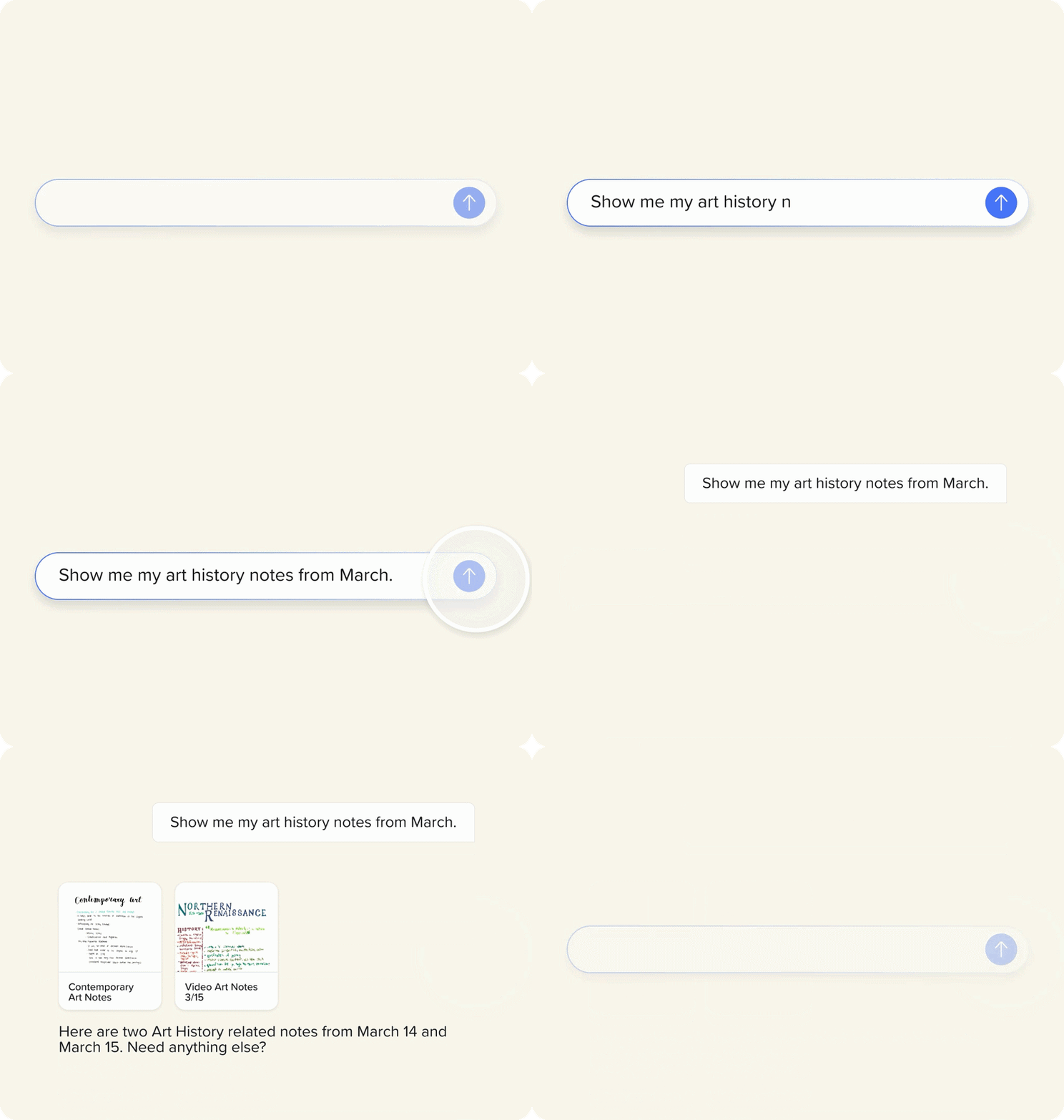
Right on your home screen, you'll see a chatbar where you can start typing immediately. From there, chat can do more than answer. Ask chat to open an old note, spin up a new one, start a recording, or pull up Learn, and it'll do it with your say-so.
Before we read anything specific, we will ask for permission: prompting a choice between Allow or Deny. If you change your mind later, asking again brings the permission prompt back. Soon, there will also be a sidebar toggle so you can pull up and jump between all your past threads.
Why grounded answers matter
A lot of AI tools will answer any question you throw at them, with or without the right context. Chat Across Your Notes works from what you've actually written: your lecture notes, your recordings, your own material. So instead of a generic answer, you get one shaped by your version of the material.
Early testing from our user community shows what that back-and-forth can look like. One of our users asked the chat to summarize and translate a note written entirely in Japanese. The chat then suggested more natural phrasing for a few lines. The user asked the chat to explain why, and that turned into a real conversation: reference, edit, follow up, repeat.
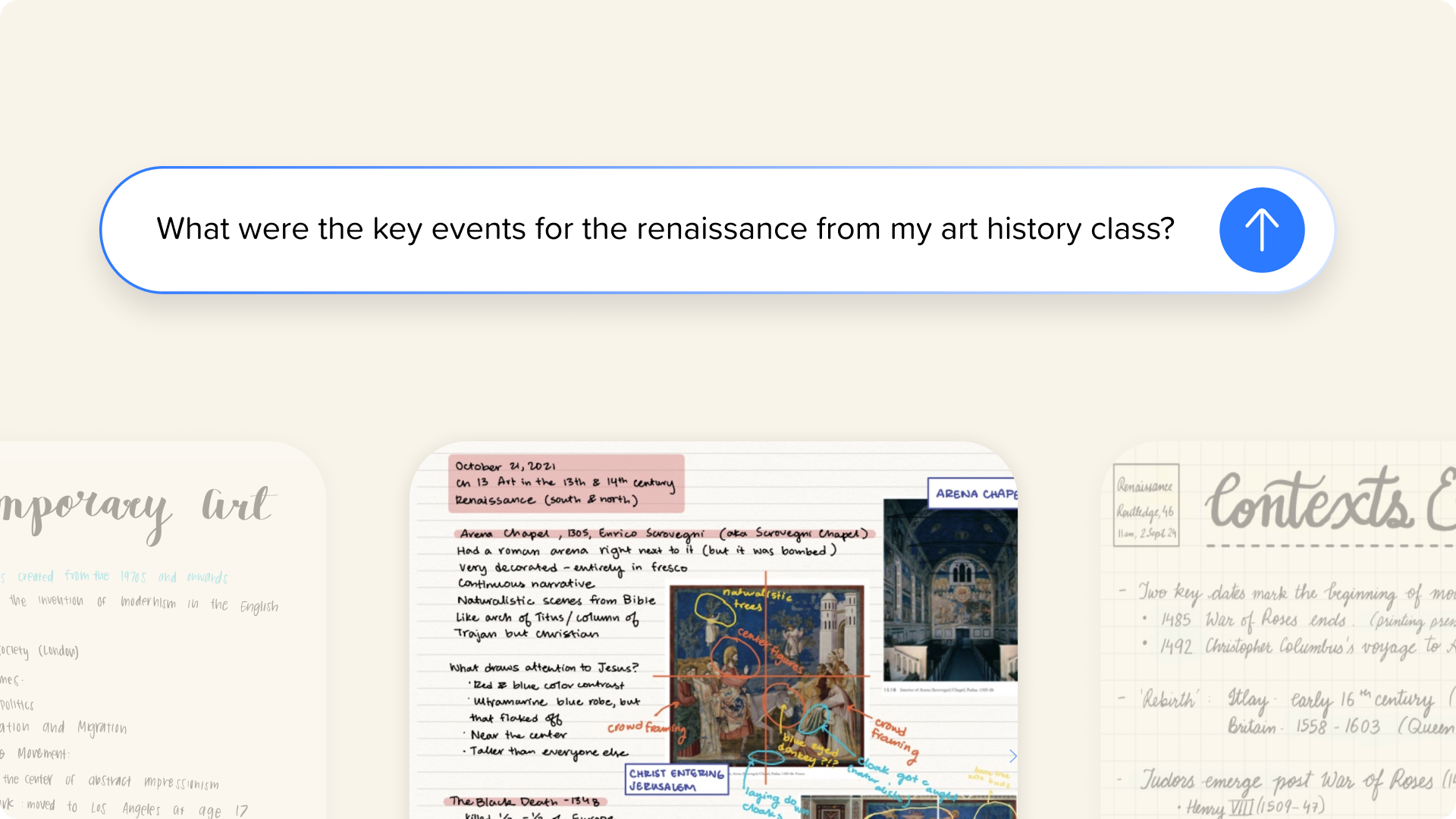
Or take an art history student prepping for an exam. Instead of flipping between separate notes on the Renaissance, the Scrovegni Chapel, and a timeline of key events, they just ask: "What were the key events for the Renaissance from my art history class?" Chat Across Your Notes pulls the answer together from all three, no meticulous searching required
What’s new in Notability
Chat Across Your Notes is available now to Pro users on the web and on iOS, with Android on the way. It's built for subscribers on Notability Cloud, so we can sync your chat history across devices. If you're already taking notes in Notability, your existing notes are what the chat will draw from, no extra setup required.
Comments are also new on web and iOS, making it easier to flag something or work through a note while others are on the page without changing what's already there. Flashcard Import is live too, so you can bring in decks from Anki or a plain CSV or text file and keep the cards you've already made right alongside your notes.

.png)