
How Construction Teams Use Notability for Site Documentation, Sales Visits, and Reports
See how field teams stay on top of every detail, cutting paperwork and time lost between the job site and the office, all from one device.
TL;DR
- With Notability for Business, plan markups happen on site and in real time. No more printing plans, scanning them, or reconstructing changes from memory later.
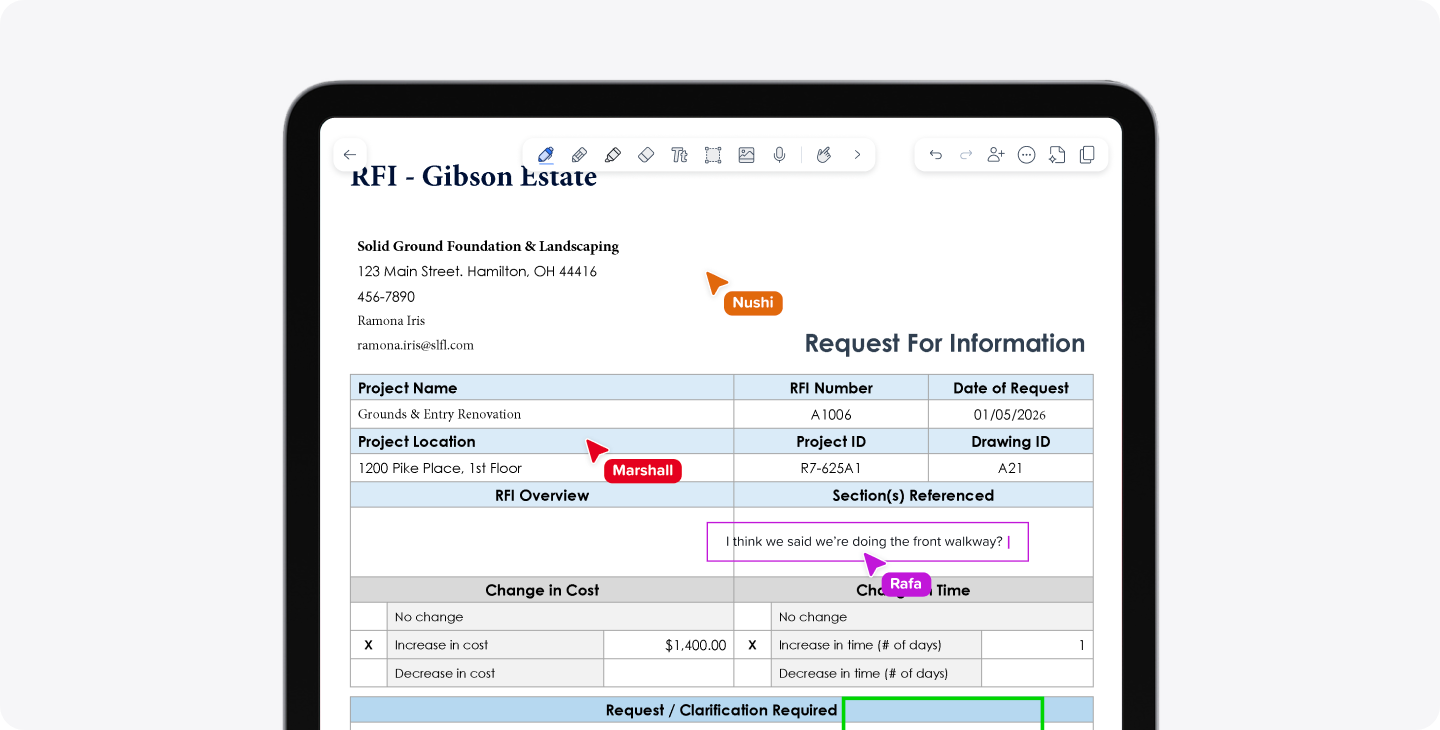
- Site issues get documented with photos, notes, and turned into RFIs, ready to send to the architect, owner, or GC.
- Customer meetings get recorded, so sales teams stay focused on the conversation instead of taking notes.
- Notes and documents live in Shared Libraries, accessible across devices, so the office sees what the crew captured right away, no more driving paperwork to and from job sites.
- Meetings get auto-transcribed into summaries and action items, so nothing gets lost between the field and the office.
Precision is foundational in construction. A missed markup, a wrong measurement, a note from a customer call that didn't make it into the file: each one adds up to time lost redoing work or chasing down what was said. Even the most organized crews can lose track of details when they're moving between a job site, a sales call, and the office, and every one of those gaps costs time.
That's where Notability for Business comes in. The platform works the way field teams already write and document, so it fits into your day instead of being another thing to manage. From marking up plans to running sales visits and coordination calls, Notability keeps the details straight so your team spends less time managing paperwork and more time moving the project forward.
Capture site details as you work
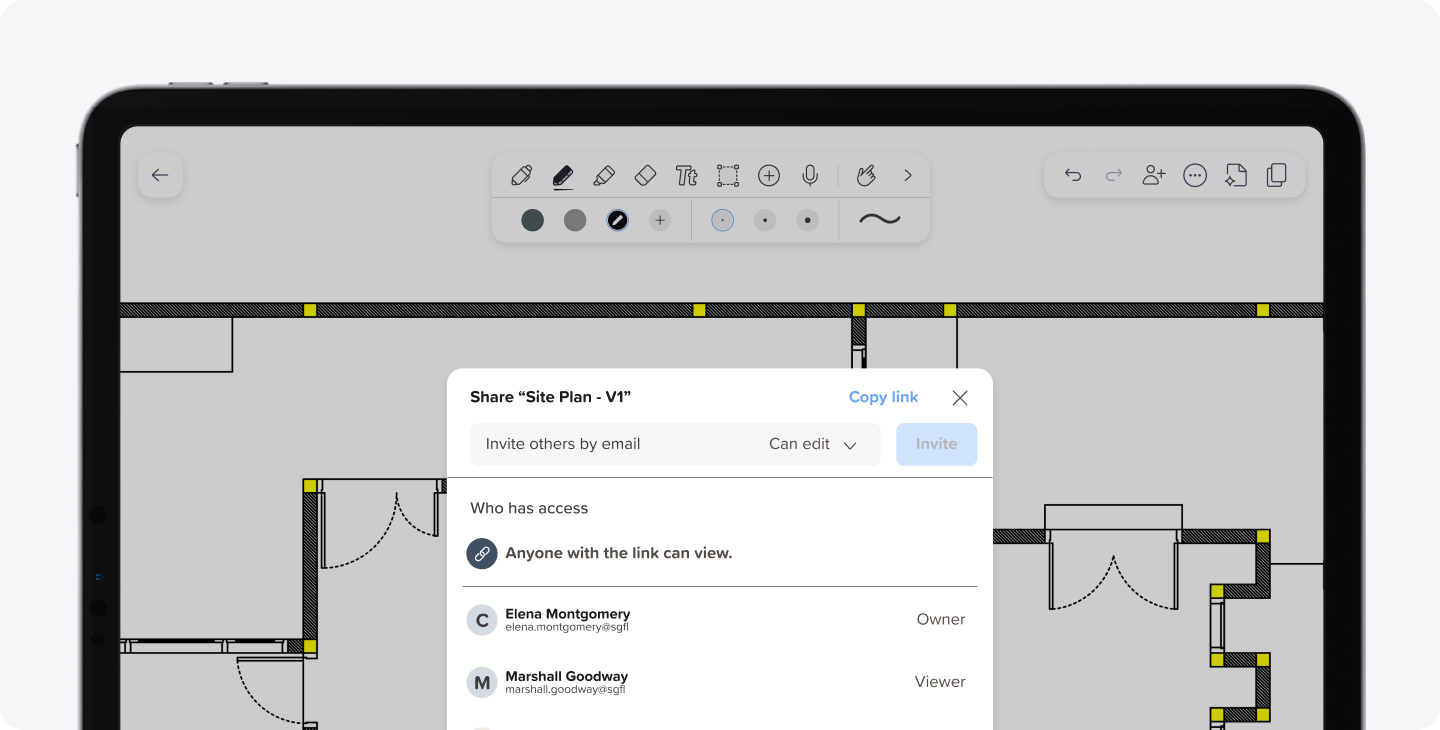
Redlining and annotating plans is often the first place details get lost, especially when changes happen on site and get reconstructed later from memory or a stack of marked-up printouts. Teams can import floor plans, site maps, or change order sketches directly into the app and annotate them with their stylus on the spot.
Crews can add dimensions, mark up revisions, and share updated plans with the GC or customer before leaving the site. This way, there's no scanning or emails sent back-and-forth, just a plan that's already up to date by the time the next person needs to see it.
Resolve issues on the spot
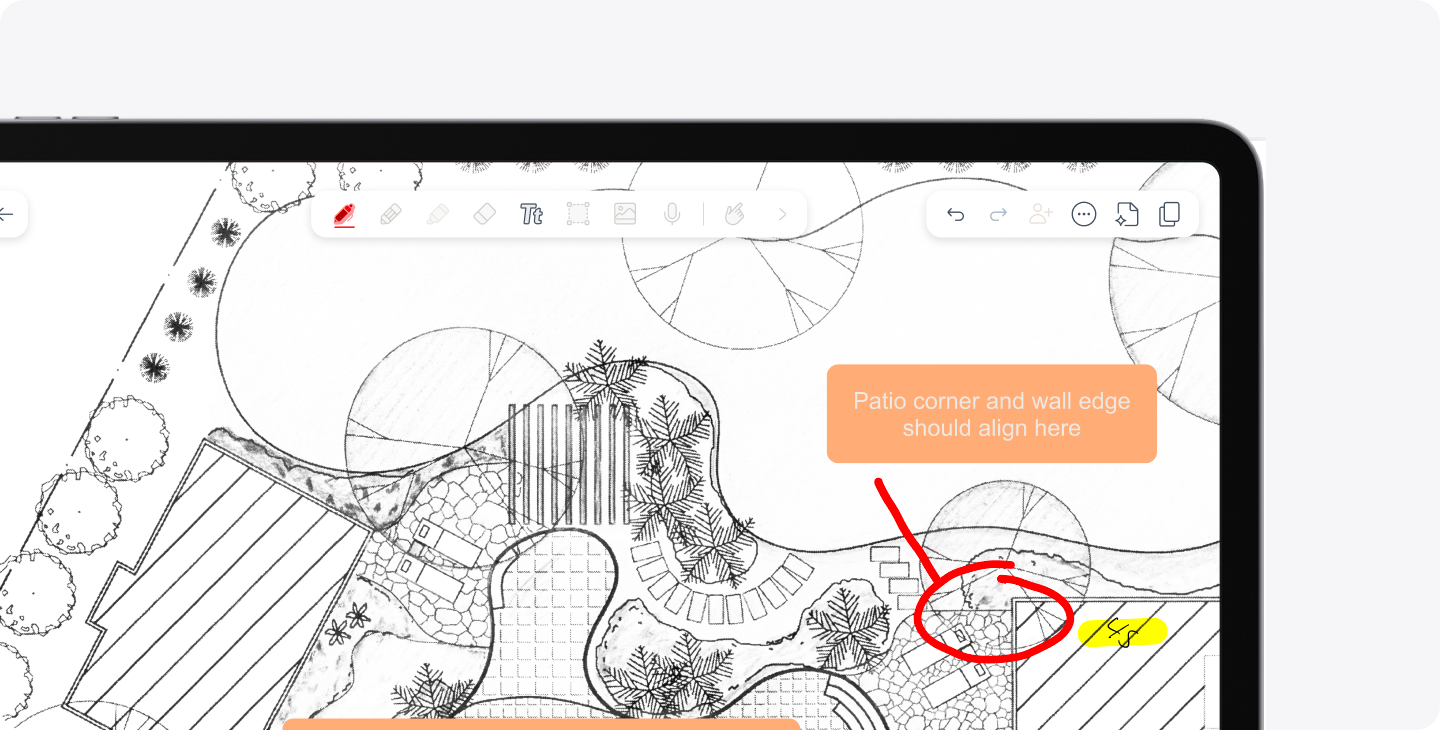
Not everything on a job site shows up on a drawing. Site inspections generate a mix of information: handwritten notes, photos of conditions or issues, or audio when there isn't enough time to write. Teams can pull all of that together the moment an issue is found, including:
- Attaching photos to the exact location they were taken
- Adding notes on what's wrong and why it matters
- Drafting an RFI before leaving the site
- Sharing it instantly with the architect, owner, or general contractor
Meetings that hold up when it matters
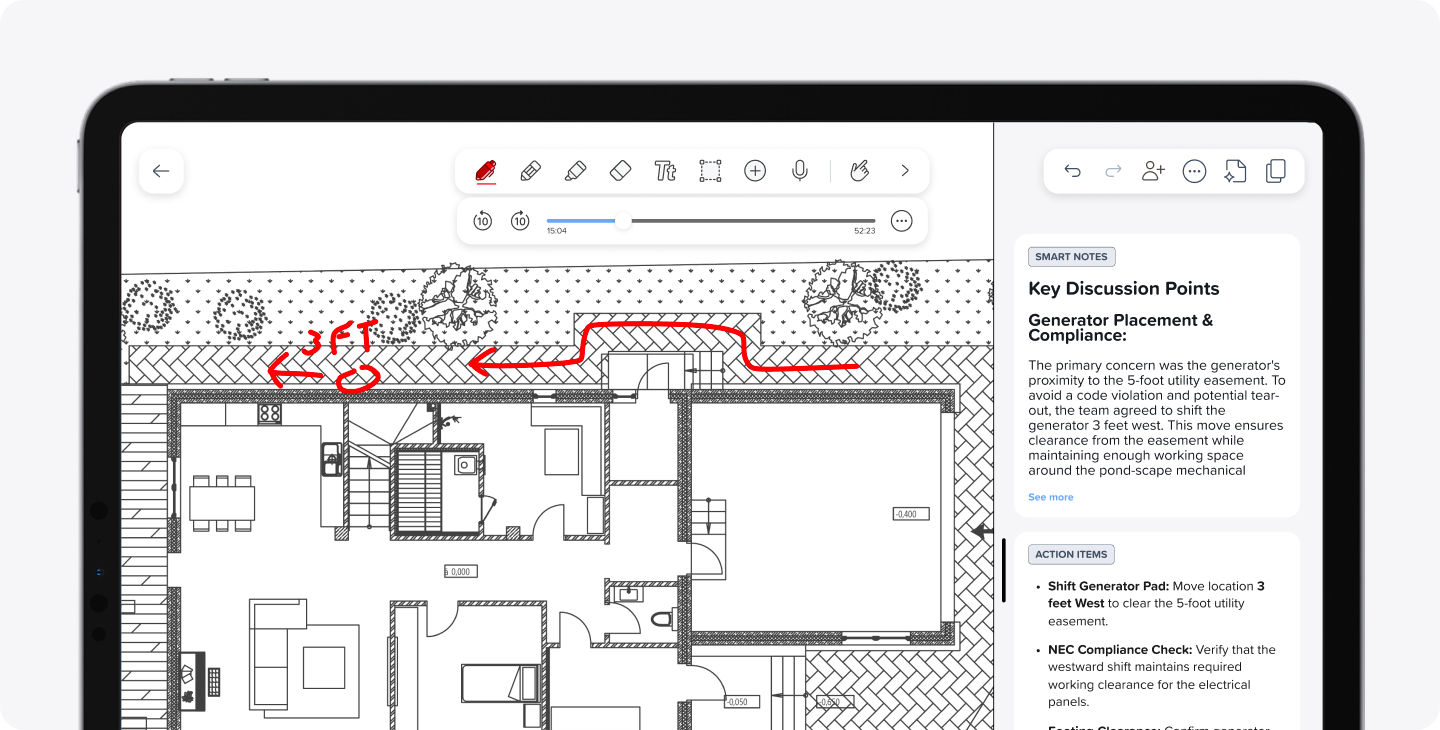
OAC meetings, subcontractor walkthroughs, and coordination calls depend on engaging in the conversation and connecting with the client. Taking Notability into a sales or a follow up meeting means teams can record the conversation itself, capturing exact feedback and requests instead of a paraphrased version reconstructed after the fact. The recording handles the details, so whoever's in the room can stay focused on the customer, not on taking notes.
We generate high-quality summaries and action items from every recording, so nothing falls through the cracks between the field and the office. That means everyone's working from the same version of what was discussed, not a team member's memory of it.
Everything for the job, in one place
Once a meeting or site visit wraps, the project's information needs a home the rest of the team can access anytime and from anywhere. With Notability, teams can:
- Keep plans, change orders, inspection photos, and client sign-offs in Shared Libraries.
- Access shared notes on iOS, hWindows, or the web, in the office or on site.
- See what the crew captured the moment it was written or recorded, without having to wait for an upload.
- Share completed files directly with subcontractors.
LL Custom Contracting, a custom home builder and remodeler in Michigan, uses Notability across nearly every part of the business. Sales coordinators set up a template ahead of a first sales visit, then hand it off for an estimator to complete on-site, adding photos with measurements as he goes. That same shared setup carries through the rest of the company: service technicians build materials lists in the field, construction managers track scheduling and costs, and internal workflows like time-off requests run through shared templates.
As the LL Custom Contracting team puts it, "Notability has become an integral piece of our sales process."
A smarter way to build
Construction teams have relied on notebooks, clipboards, and marked-up prints for a long time. We simply bring that trusted workflow into the field on one device, without losing what makes it effective. For site documentation, customer meetings, and everything in between, Notability offers a familiar, reliable way to capture what matters the first time.

.png)