Introducing Our Learn Guarantee: Learn, or Your Semester’s on Us
This Back-to-School Season, our mission is to make your life easier, and we’ll prove it.

TL;DR
- Learn Guarantee: Buy a Pro or Plus plan between 7/20/2026 and 9/30/2026. If Learn, our AI study tool, doesn't help you, your plan is free for the rest of the semester (90 days).
- Learn is now on your home screen, with your latest scores and progress right there.
- Focus mode clears your screen down to just your notes, toolbars and buttons disappear with a four-finger tap or Command + Shift + F on a keyboard.
- Daily Brain Break puzzles are now available at the bottom of your home page to encourage taking breaks in between study time. There will be a new puzzle each day for five days.
- Code blocks and block quotes are now live on iOs
- More on the way this Back-to-School season: Notability on Android, note covers, calligraphy pens, chat across your notes, PDF export, comments, and dark mode.
Back-to-school season is one of the hardest resets of the year, with new classes, schedules, and goals. That window between summer and September, when everything seems overwhelming and last year's study habits left you burnt out is the perfect time to make sure you have the right tools at your disposal. Notability Learn was built to help exactly that.
For a few years now, Learn has been a staple for students everywhere as an AI study tool that works alongside you, turning your notes, PDFs, or recordings into summaries, quizzes, and flashcards. This back-to-school season, we’re excited to introduce new Learn features, Focus Mode, and a daily brain break game, all built around how real students absorb and learn from content.
But before we get into the details of the new updates coming your way, we want to show our promise to deliver an app with features that will benefit millions of students around the world as they start the semester.
Learn Guarantee
From last back-to-school season, we improved Learn to actually help you learn better, not just check a box. Caring about your progress means holding ourselves to the same standard, which is why your feedback matters so much to us. If something isn’t working, we truly want to know, and we want to fix it. This is why we’re introducing the Learn Guarantee, a commitment to a product that will help you with your classes this fall.
Here’s how the guarantee works:
- Purchase Notability Plus or Pro between July 20th and September 30th, 2026
- Use Learn while you study (answer a minimum of 20 questions). If the tool doesn't help you retain information, we promise to make it right.
- Submit a guarantee request, which will include feedback for us, through our support team by October 31st.
- Receive a promotion code and apply it to keep that Plus or Pro plan for the rest of the semester, a full 90 days, at no cost.
Learn more and view the full terms here.
Learn Home Screen
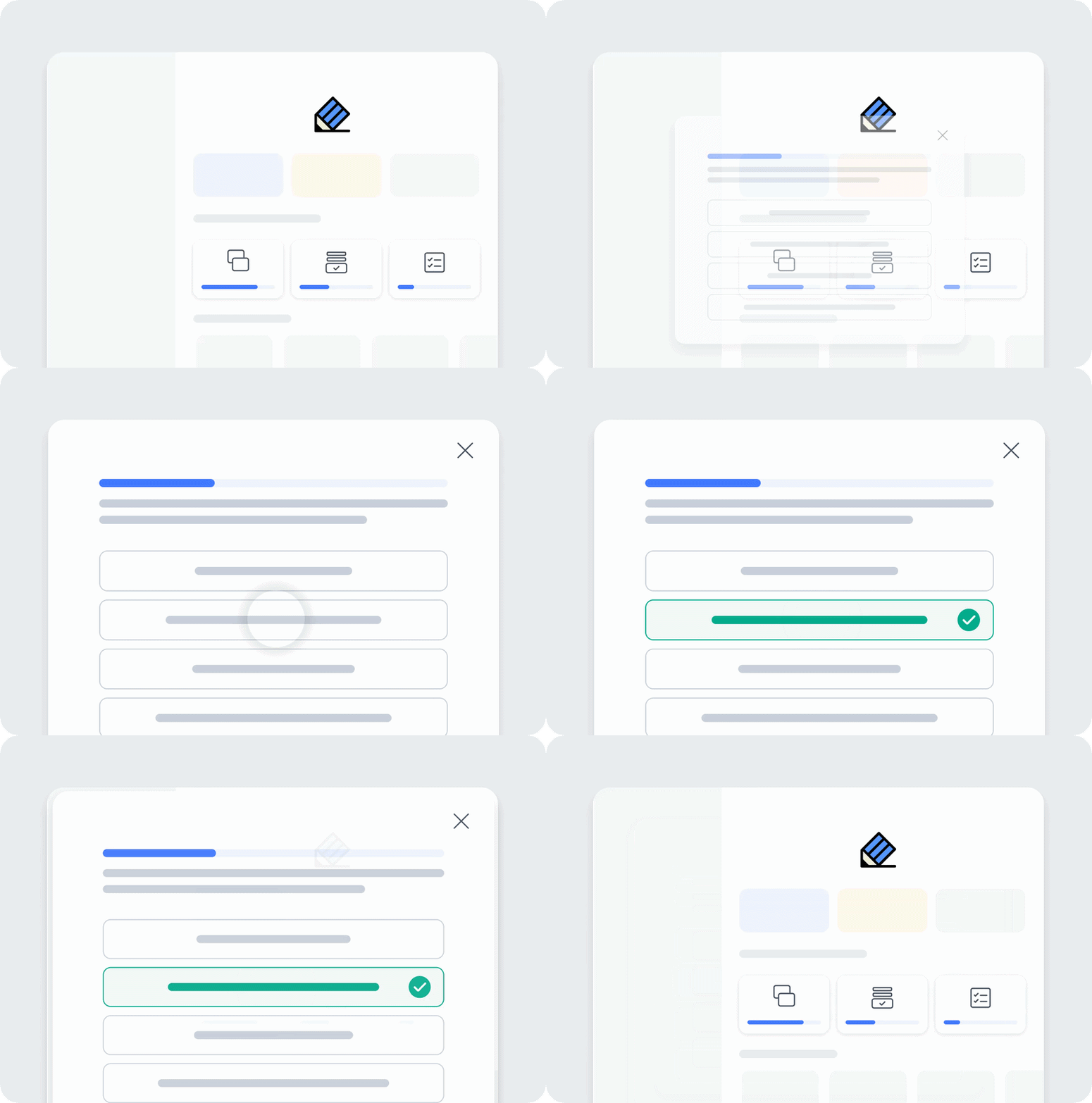
Navigating to the Learn features in the Notability app used to mean a few extra taps through a few different pages. Not anymore.. Learn is now on your home screen, so you'll never have to dig for your most recent quiz or flashcard deck again. Look for Up Next to Learn, where your progress on your current study topics under Memorize, and your latest scores under Test from your quizzes and tests, will be waiting for you. Under Practice, you now also have review mode that sorts your questions into correct and incorrect, so you always know what to focus on next. Questions? Visit support.
Focus Mode

It’s easy to get distracted by toolbars and buttons while you’re taking notes. Focus Mode removes it all. Tap the screen with four fingers, or press Command + Shift + F on a keyboard, and everything disappears except a single button that you can drag to any corner. What’s left is your page taking up the full screen, with nothing else in the way.
Once you’re in Focus Mode, a small button in the top-right corner shows the available gestures, which you can hide as well. Check out our support page for more details. This tool is ideal for all types of learning, whether you're writing, drawing, or reading with the hand tool.
Daily Brain Breaks

Breaks aren't time off from learning. They're part of the work. Stepping back helps your brain lock in what you just practiced. There are so many studies that back up the fact that taking short breaks helps your brain absorb new skills. Starting today, look for Brain Break at the bottom of your Home screen. Run into an issue, or just curious how it works? Get help here. You'll get a new puzzle each day for five days, then the feature disappears.
Code Blocks and Blockquotes
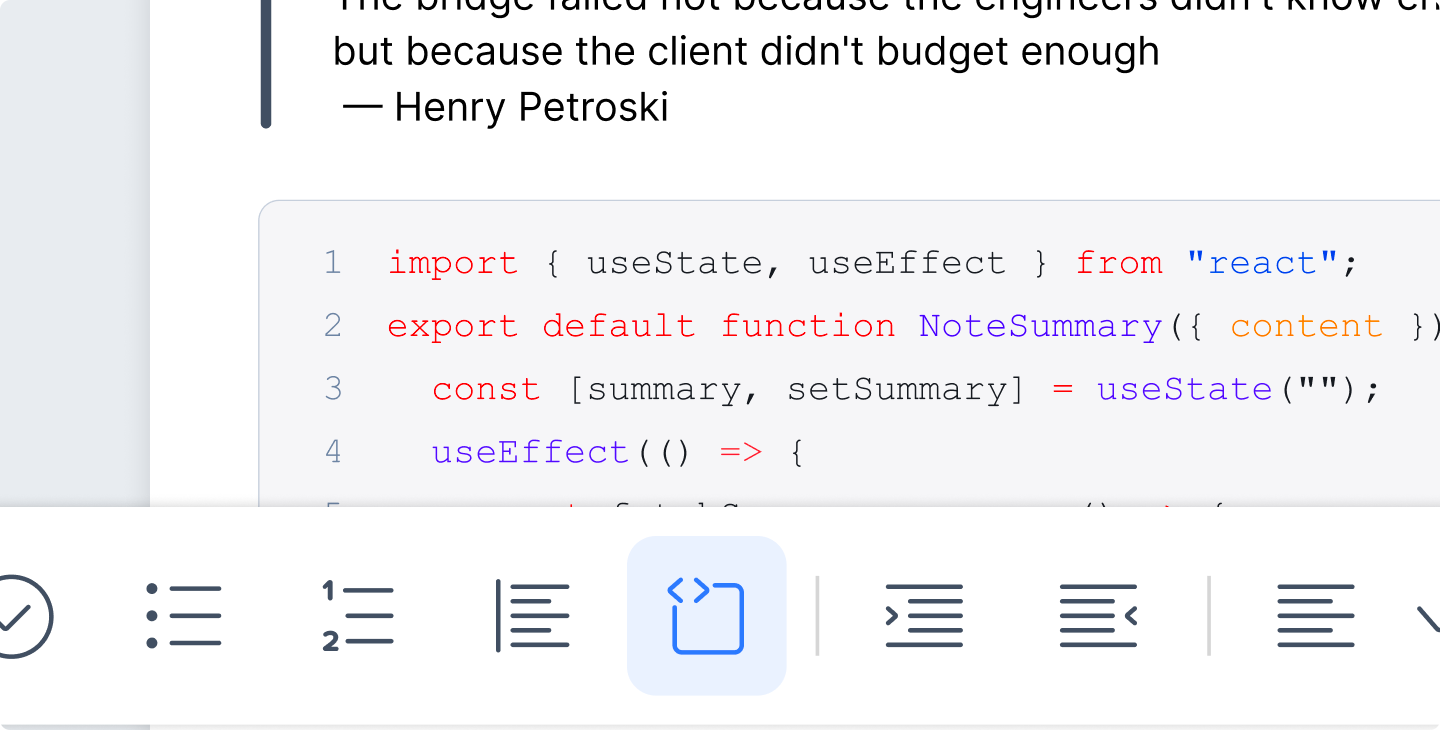
For all our engineering students, Code Blocks are finally on iOS. Adding a code block takes seconds. Tap the icon in the toolbar, or type ``` followed by your language (such as ```java) and hit Enter. Notability will highlight the syntax for that language throughout the block, so your code comes out clean and easy to read.
Blockquotes are just as easy to navigate. Tap the quote icon, or type > and hit enter to start one right where you're writing. Perfect for pulling in a quote from a reading or lecture. This feature is especially handy if you’re writing reports or citing sources.
Coming Soon
This is just the start of the back-to-school season for us, with plenty more updates on the way. Look out for our brand new Android app, as well as note covers and calligraphy pens coming to your Notability app soon. And don’t forget! All plans are currently 20% off during Back-to-School.
We’re also working on Chatting across your notes, PDF exports, and dark mode on the web app. Plus, more ways to download and access Notability. 👀 Subscribe to our newsletter so you don’t miss an update!
Thanks for your feedback, your patience, and for being part of our community. From all of us at Notability, we wish you the best during this upcoming school year. 💙
– The Notability Team

.png)