
Share Forms with Your Team Using Notability Business Templates
Your team's forms now all live in one place. We also taught the Ruler how to do the math.
TL;DR
- Business Templates let owners and admins upload a form that shows up in everyone's Template menu, then the whole team can start a note on the same page. Available with Notability for Business on iOS.
- The Measurement Tool lets you set the scale on a plan and measure lengths and areas right on the page. Available on all plans with Notability Cloud, created on iPad.
It can feel almost impossible to get everyone on the same page, literally. There are many moving parts at a company: different teams, meetings, and documents to keep track of. The last thing anyone wants is to fall behind because of a silly mistake, like using the wrong version of an intake form or an old inspection sheet. And no one enjoys printing and reprinting pages until they're right, or until the printer needs more ink.
Our new Business Templates make this process a lot easier. Instead of spending time, paper, and energy on an outdated process, owners and admins only need to upload a form or sheet into Notability once. From there, it shows up for the whole team in the Templates menu, ready to use in any new note. When a form changes, the new version replaces the old one with a quick swap. No mix-ups, no printer problems, and everyone is on the same page.
How to get started
For owners and admin
Add a Business Template:
- Open the Templates menu and go to the Business Templates section.
- Tap the + cell and choose the file you want to use.
- Name the template and save it. It's shared with your whole team automatically.
For everyone on the team
Start a note from Templates:
- Start a new note and open the Templates menu.
- Go to Business Templates and pick a template to preview it.
- Start your note from it.
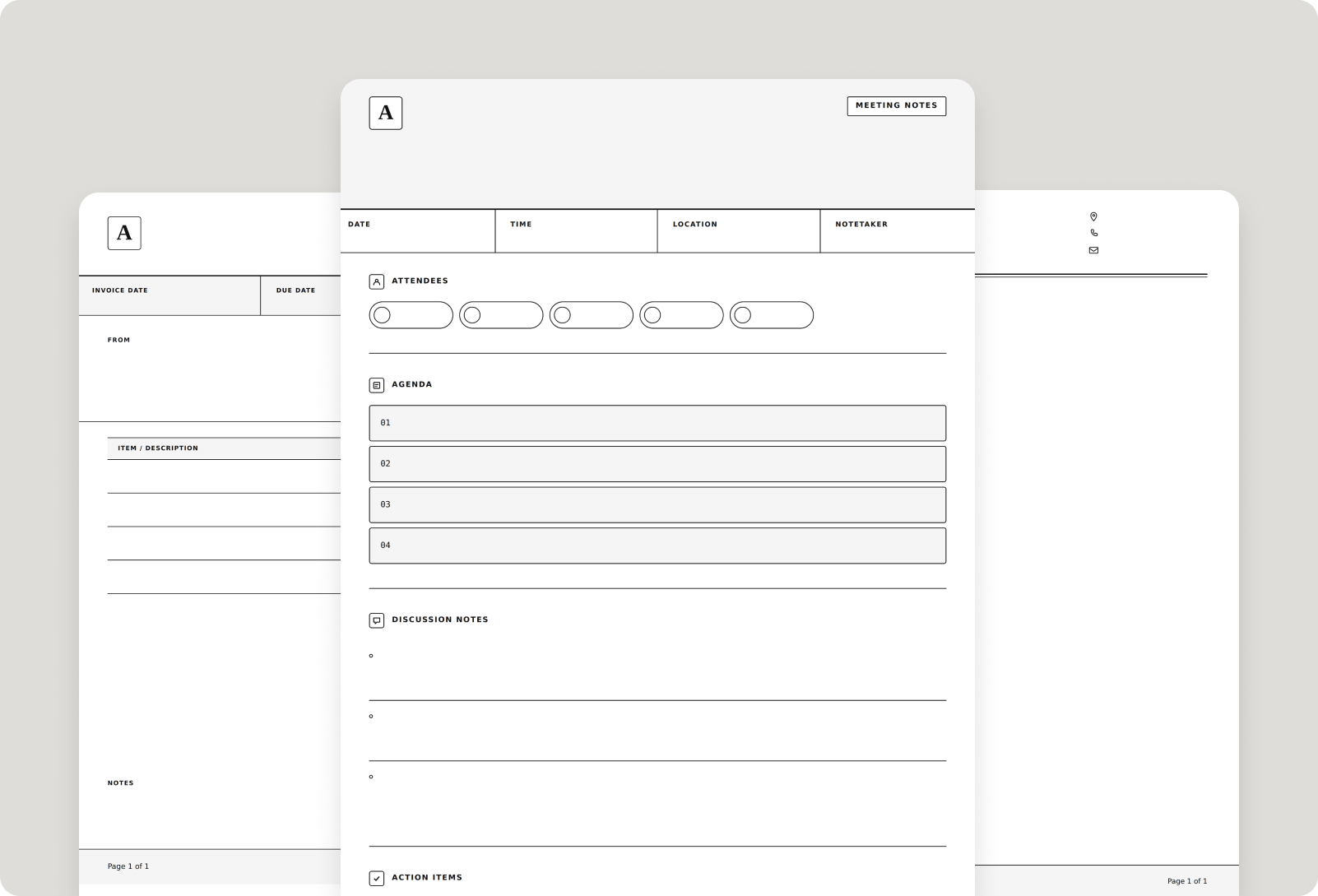
*Please note: Business Templates are available with Notability for Business on iPad and iPhone.
What your team can use Business Templates for
Once they’re set up, Business Templates work for just about any form your team relies on. Crews in the field can start every job from the same site inspection sheet, punch list, or safety checklist. Client-facing teams can keep intake forms, consultation notes, and estimates consistent from one meeting to the next. Back at the office, the templates are just as useful for onboarding checklists, meeting agendas, incident reports, and branded layouts like letterhead.
Measurement Tool
When you're working from a plan, one wrong measurement can throw off the whole job. With the Measurement Tool, you set the scale once using a dimension you already know, then measure right on the page. Every line shows your object’s real-world length, and every box shows its area. The measurements update automatically as you work, so you can see the dimensions you need without doing the math yourself.
How to get started
- Open your note and tap the Ruler in your Toolbox.
- Choose Calculate Length or Calculate Area.
- Draw over a known dimension, then enter its real length and unit. You only need to do this once per note.
- Start measuring. Draw lines or drag out boxes, and our platform fills in the measurements automatically.
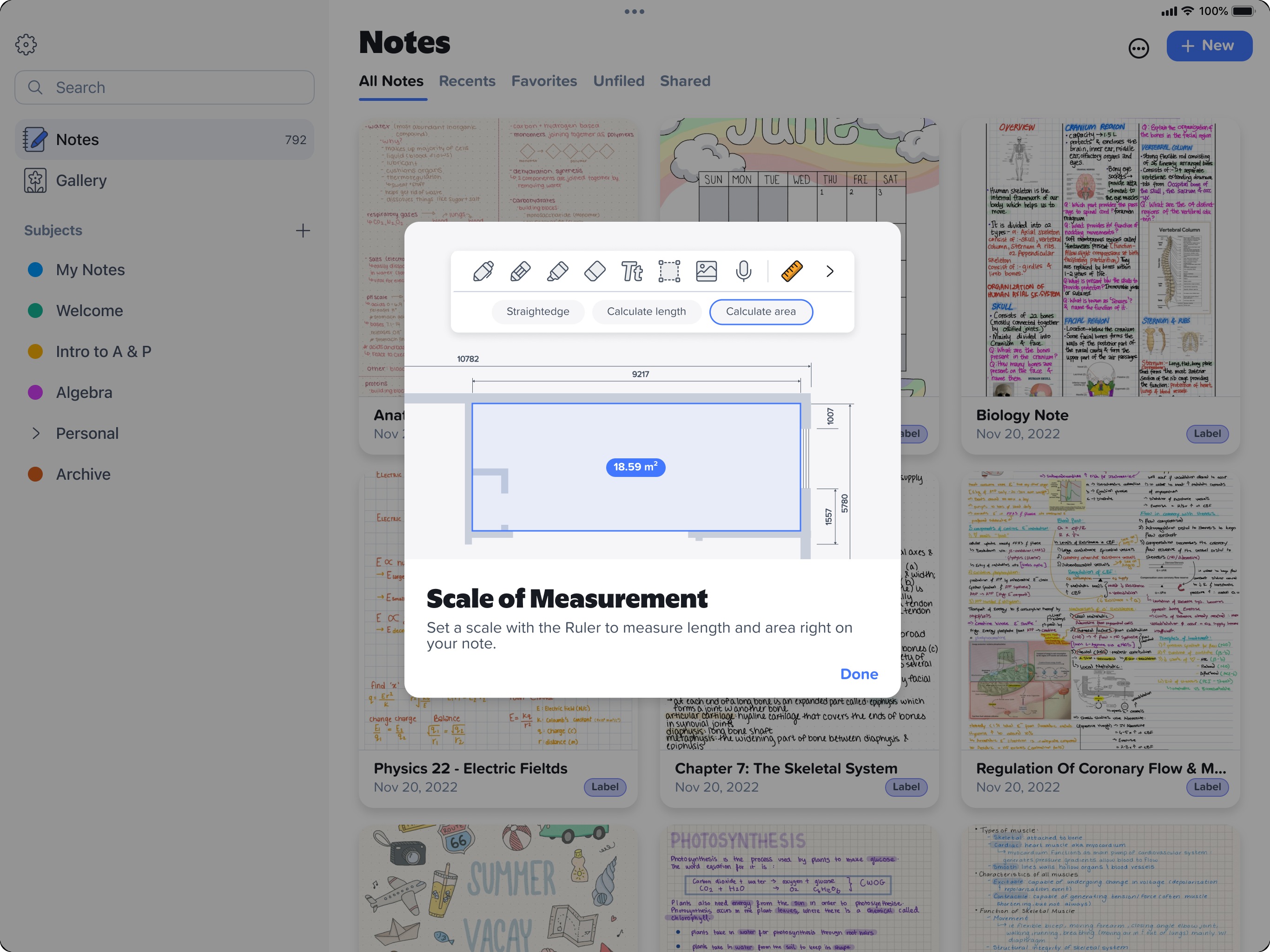
Please note: The Measurement Tool is available on all plans with Notability Cloud. Create measurements on iPad, then access them across your devices as they sync with your note.
What your team can use the Measurement Tool for
Anywhere there's a plan, there's something to measure. Contractors can check dimensions and square footage directly on a floor plan before ordering materials. Remodelers can visualize how changes will fit within a space. Designers and architects can add real measurements during drawing reviews, while facilities teams can map out spaces for equipment, furniture, or office moves. You can use a different unit for each measurement. Work in inches, feet, yards, millimeters, centimeters, and meters based on your needs.
The best tools don't make you change how your team works, they just take the busywork out of it. With Business Templates, nobody has to track down the right form or wonder if it's the latest version. With Measurement Tool, the math is handled the moment you draw. Spend less time on setup and more time on the actual job, whether that's in the office, at a client meeting, or on site.


.png)