The Classroom Companion Every Teacher Deserves
This Teacher Appreciation Week, we're celebrating the incredible educators who shape lives every single day, and sharing how Notability can make your classroom feel a little more magical.

TL;DR
- Happy Teacher Appreciation Week! Notability is here to help teachers do more of what they love.
- Create and share handouts, worksheets, and annotated reading guides as PDFs with your students instantly through Notability.
- Record your lessons directly in the app. Audio syncs with your handwritten notes so students can replay any moment of a lecture, word for word.
- Grade and annotate student submissions with your tablet stylus, leave voice feedback, and reuse rubric templates to save hours.
- Organize lesson plans by subject, unit, and week with our upgraded folder system, and find anything in seconds with searchable handwriting.
- Use Notability as a live digital whiteboard for problem-solving, annotated diagrams, and quick exit tickets.
Every day, teachers walk into their classrooms carrying lesson plans, patience, creativity, and a whole lot of heart. You manage dozens of different learning styles, adapt on the fly, keep students engaged, and still find time to grade, often at the kitchen table long after school ends.
This Teacher Appreciation Week, we want to say: thank you. And we want to help make your day-to-day just a little bit easier, more organized, and more fun with Notability.
Whether you're a first-grade superhero, a high school science wizard, or a college professor, here are some of the ways teachers around the world are using Notability to transform their classrooms.
1. Creating and Distributing Handouts
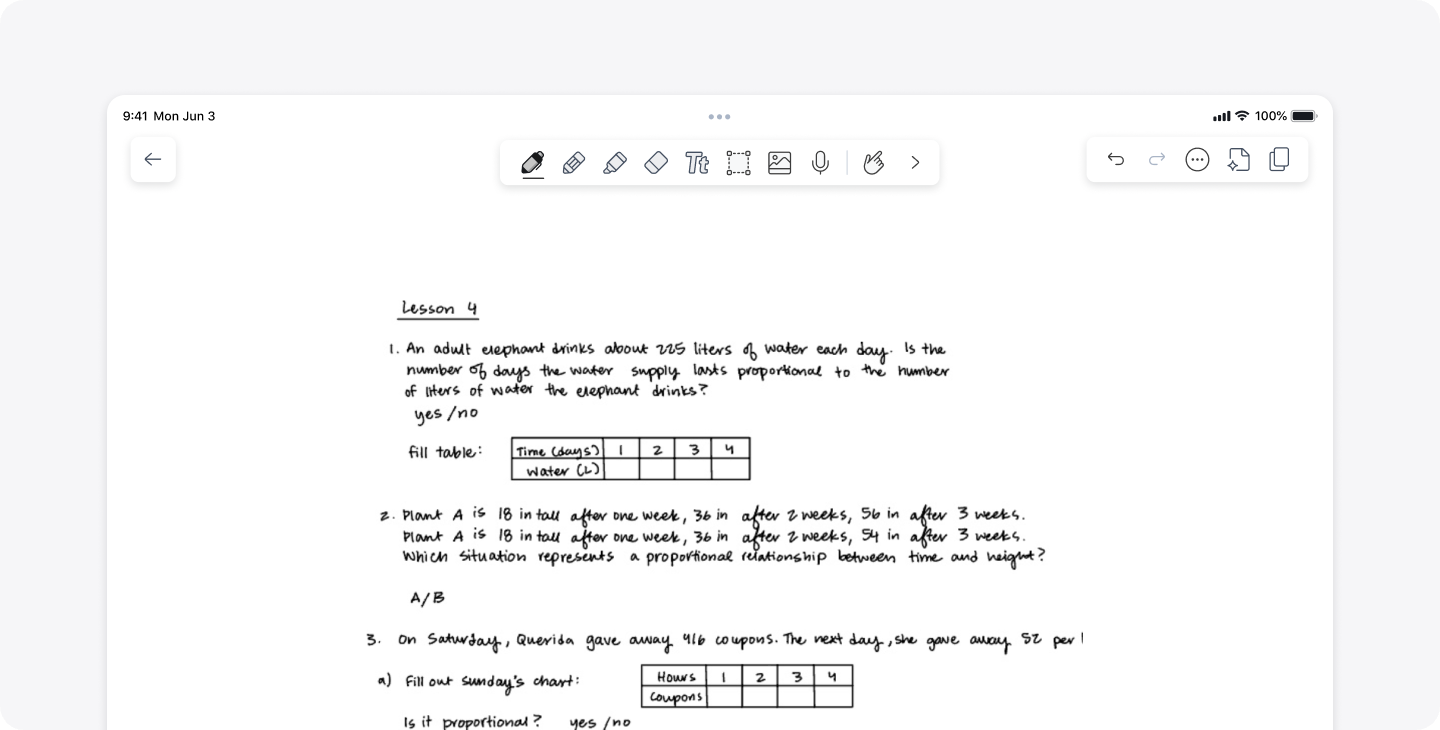
Say goodbye to the copy machine line. With Notability, you can create beautifully formatted handouts, worksheets, and reading guides, and share them with your students instantly. Add images, diagrams, and your own handwritten annotations to make every handout feel personal and clear.
Create an annotated reading guide by importing a reading passage as a PDF, highlighting key sections, adding guiding questions in the margins, and sharing with students before class so they arrive ready to discuss. Or, provide visual study maps by sketching out concept maps by hand and export them as crisp, clean images that students can reference while studying.
Pro-Tip: The Notability Gallery also has hundreds of templates you can use for in-class worksheets and take-home assignments. Browse through our collection of free templates below!
2. Live Lecture Notes & Real-Time Annotation

Notability's combination of handwriting and audio recording is a game-changer for lectures. Tap record while you teach, and your spoken words sync perfectly with everything you write on screen. Students who miss class, or who learn better by reviewing can replay the lecture and follow along with your notes exactly as you wrote them.
Pro-Tip: Use a split-screen view to keep your lesson plan open on one side and your live notes on the other, so you never lose your place, even when a great off-script discussion sparks up.
3. Grading and Giving Feedback

Grading papers digitally in Notability is one of the biggest time-savers teachers tell us about. Import student submissions as PDFs, then use your Apple Pencil to write comments, highlight mistakes, circle strengths, and add encouragement, all in one fluid motion. No more stacks of papers on your dining room table.
Handwritten comments and personalized feedback feel warmer and more thoughtful than typed text. Students love seeing your actual notes, as it shows you really read their work. You can also use Notability's Audio Recording feature to leave voice notes alongside written feedback. Perfect for nuanced comments that take too long to write out by hand.
Pro-Tip: Build a rubric once as a Notability note, then duplicate it for every student. Check boxes, circle scores, and add comments consistently and quickly. You can also download this reusable rubric template from the Notability Gallery here.
4. Planning Your Lessons

Lesson planning in Notability feels wonderfully free-form. Sketch out your weekly plan, paste in links to resources, attach the standards you're covering, and reorganize with a drag of your pen. It's like a physical planner that never runs out of pages, and that you can search through instantly.
Many teachers keep a dedicated notebook per subject, with dividers for each unit. With Notability's folder system and powerful search (yes, it can search your handwriting!), finding that one activity from two semesters ago takes seconds.
Pro-Tip: Create a folder structure like: Subject → Unit → Week. Keep lesson plans, handouts, and student resources all in one place. Your future self will thank you come review season.
5. Interactive Classroom Activities

Notability isn't just for individual work — it shines in collaborative and interactive moments too. Project your Notability screen while you annotate live, invite students to solve problems on their own iPads alongside you, or use it as a digital whiteboard for brainstorming sessions.
During a math lesson, you can work through equations step-by-step on screen while students follow along or work parallel problems on their own devices. No more smudged chalk or tiny dry-erase handwriting.
For science or world history lessons, import a blank map or scientific diagram and fill it in together as a class. Label, color-code, and annotate collaboratively for a lesson everyone remembers.
Pro-Tip: When assigning an exit ticket, have students jot their “one question” or “one big idea” from the lesson on a shared note template at the end of class. Quick to collect, easy to review, and genuinely revealing.
Ready to Bring Notability to Your Classroom?
Teaching has always been about connection between ideas, people, where students are, and where they’re going. Notability is honored to be a small part of that journey. Every note you take, every lesson you plan, and every piece of feedback you write with care matters more than you know.
From everyone here at Notability, Happy Teacher Appreciation Week. You are remarkable.

.png)