Notability for Life
A personal note from Notability’s Founder and CEO, Fred Mitchell.

TL;DR
- Fred, our Founder and CEO, uses Notability every day. It’s his go-to space for ideas, plans, notes, and memories.
- All 2,000+ of his notes sync across his devices, so everything he needs is always with him.
- Handwriting, typing, photos, and files all live together in one organized, searchable place.
- Recording meetings with transcripts and summaries saves him hours and helps him never miss details.
- Fred uses Notability for work, life, travel, projects—pretty much everything.
- Simply put: Notability isn’t just an app Fred likes. It’s one he relies on.
My favorite tool of all time is a battery-powered drill my dad gave me in 1975. I still have it, and I still use it. But only occasionally.
My favorite app of all time is Notability. And I use it every single day.
That contrast says everything.
When we created Notability back in 2010, our goal was simple: build something genuinely useful. A tool people would reach for instinctively when they needed to think, capture, plan, or remember. Today, I see that mission play out not just in classrooms and workplaces around the world, but in my own daily life.
My Life Runs on Notability
.png)
People often assume I use Notability primarily for work. The truth is, I use it for everything. Notability is my scratch pad, my trip planner, my design canvas, my family history record, and so much more. Earlier this fall, I migrated all 2,000 of my personal notes into Notability Cloud. Now they sync seamlessly across my iPad, Mac, and iPhone. Whether I’m at my desk, on a plane, or waiting in line somewhere, my entire library is always with me, organized, searchable, and ready.
One of our customers once told me, borrowing Steve Jobs’ famous phrase about the Macintosh, that “Notability is a bicycle for the mind.” I love that analogy. When I open Notability, I don’t just store information, I move ideas forward. Like pedaling a bike, it helps me go from A to Z faster, more smoothly, and with less friction. It’s where my rough thoughts become clear plans.
Replacing Paper (and Loving It)
I use Notability as my everyday scratch pad on iPad. I’ve completely replaced paper. Digital paper simply does more. I jot down early ideas with my Apple Pencil, switch colors instantly, write big and shrink text into the corner, and keep adding without running out of space. It feels natural, flexible, and fast, like thinking directly onto the page.
My Digital Filing Cabinet
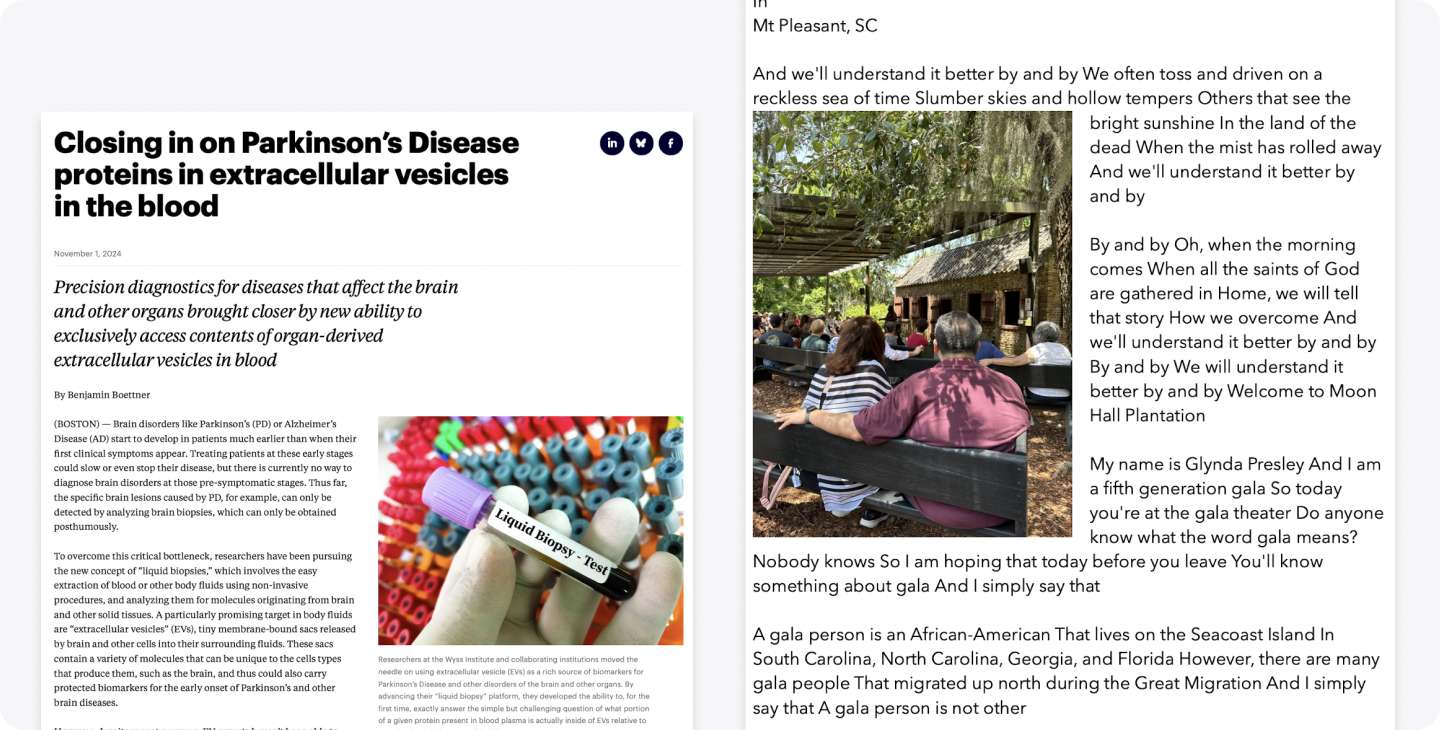
I also import documents constantly: strategy memos, tax forms, insurance cards, bills, articles, research results, and even outputs from AI searches. Everything goes into Notability because:
- Importing is effortless, both paper or digital files
- Organization into subjects is simple
- Searching in Notability can help you find any of your notes and content, instantly
Recently, I imported an article I wanted to read later. Notability automatically summarized it for me. I got the key insights in seconds and decided whether I wanted to dive deeper. That kind of efficiency adds up fast.
Studying with Learn
Notability isn’t just for capturing information. It’s also built to help you learn from it. The web app includes Notability Learn, an AI-powered feature that turns your notes into interactive study tools. Click the Learn icon in the top-right corner to transform your notes into material you can actually review and retain. This is especially useful for exam prep, certifications, or reviewing complex meeting notes before a presentation.
With Learn, you can use:
- Live Transcripts: Automatically generate text in real time while recording audio
- Smart Notes: Compile key points from imported documents, typed content, or recordings
- Quizzes: Test your understanding with multiple-choice, mix-and-match, and fill-in-the-blank questions
- Flashcards: Review key terms and concepts from your notes
- Chat with Your Notes: Ask questions and get instant answers based on your own content
Capturing Ideas From Scratch
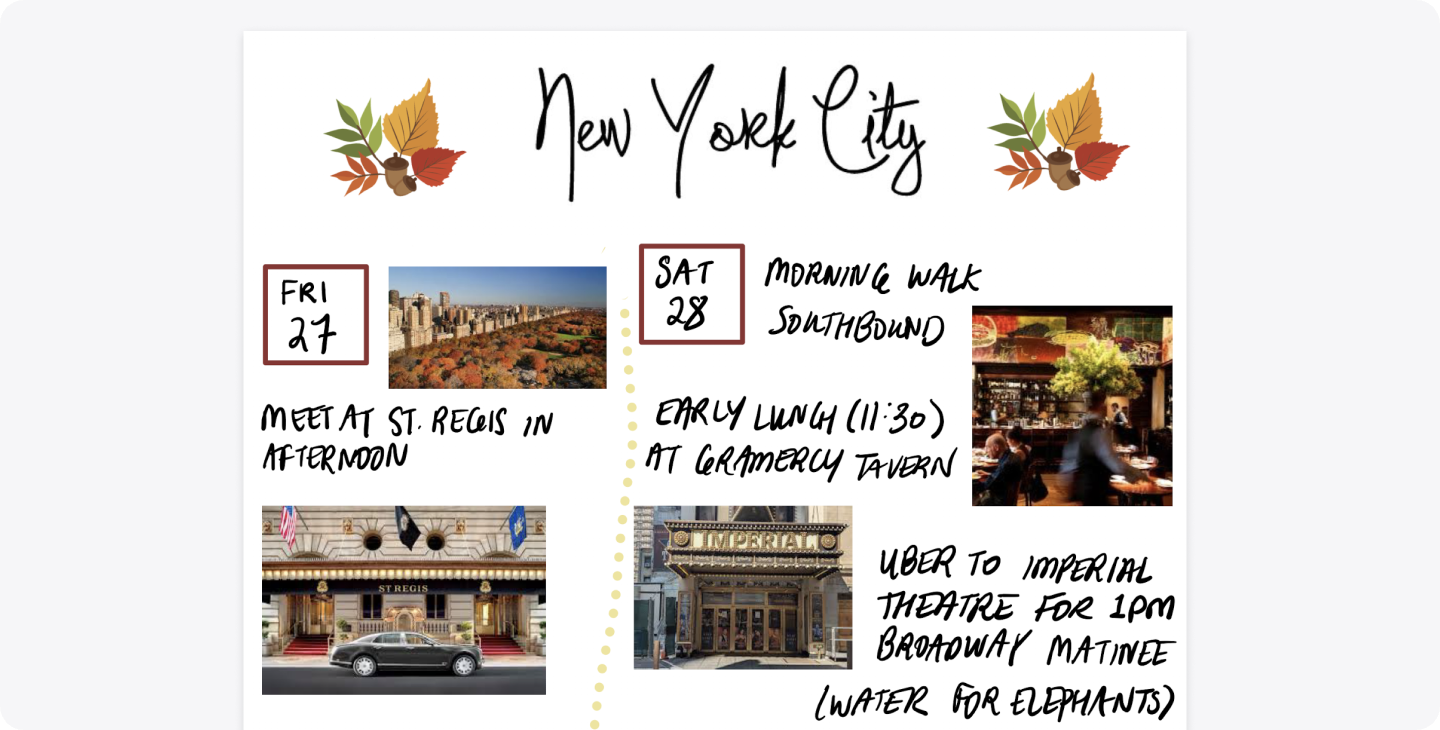
When I’m planning a trip or exploring a new idea, I usually start with a blank note. I type a few thoughts, paste in screenshots, add images, sketch diagrams. The freeform canvas makes it feel like a creative workspace instead of a rigid document.
Every note also benefits from Learn, our AI feature. Once a document exists, it can be automatically summarized, which makes reviewing and understanding content dramatically faster.
Whenever I attend a meeting, either business, cultural, or educational, the very first thing I do is open Notability and tap Record. With this tap, Notability records audio, generates a transcript automatically, syncs the transcript with my handwritten notes, and creates a Smart Note summary.
Later, when I review the note, I can tap any word and hear exactly what was said at that moment. It’s like having a time machine for information. It saves me hours and ensures I never miss details.
I recently attended a cultural session and captured the entire experience via my transcript, notes, and a photo, all stored in one place. I can revisit my notes anytime. It’s incredibly powerful.
Some of my favorite notes have also started as simple photos. I once snapped a picture of a whiteboard diagram at an in-person session. That idea is now preserved, searchable, and part of my knowledge library. Today, I’d probably just open Notability and collaborate live instead of importing afterward.
I’ve even used it to calculate swim splits for a medley relay, handwriting the math to compare teams. It’s a perfect example of how flexible a digital notebook can be.
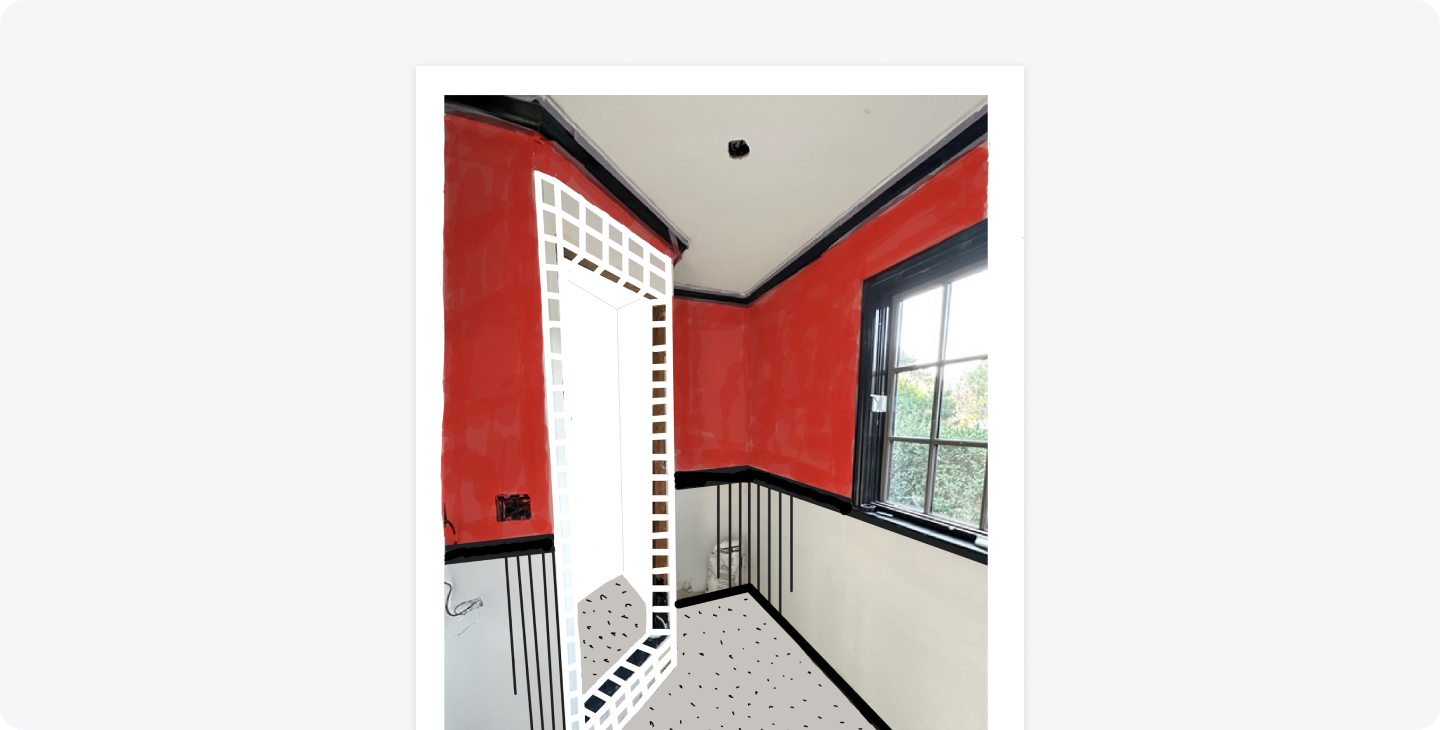
As you can see, Notability shines outside of professional tasks. Trip planning becomes fun when you can combine handwriting, images, maps, and lists all in one place. At home, my family uses it while renovating rooms. We take a photo of a space, choose a pen color, and sketch design ideas directly on top. It’s like having a design studio in your pocket.
Notability Isn’t Just for School or Work. It’s for Life.
There are many apps I admire. Very few I rely on. Notability is one of those rare tools that quietly becomes indispensable. It doesn’t just store your information. It helps you think, organize, and create. It adapts to how you work and live. That’s why students use it to learn, professionals use it to perform, and I use it to run my life.
If you haven’t experienced Notability yet, I invite you to download it for free, and see what becomes possible when your ideas finally have the perfect place to live.
.png)