What’s Coming to Notability This Semester
A preview of the collaboration, organization, and study tools coming soon, and the latest features you can use today.

At Notability, we’re committed to building tools that help you stay organized, collaborate effortlessly, and study smarter, whether you’re working solo or as part of a group. This semester, we’re excited to share a preview of new features currently in development that will be rolling out soon, along with a reminder of recent updates already available in the app to help you hit the ground running.
Collaborate in Real Time with Shared Notes
Group projects, shared study guides, and collaborative meeting notes are about to get a lot easier. With live collaboration, you’ll be able to share a note with classmates or friends, and work on it together at the same time.
Your edits will sync instantly so everyone stays on the same page. There won’t be any more version confusion, duplicated files, or “who has the latest copy?” moments. Whether you’re brainstorming ideas or polishing a final project, collaboration happens seamlessly in one shared space.
Please note that live collaboration is only available on Notability Cloud.
See Live Cursors in Shared Notes
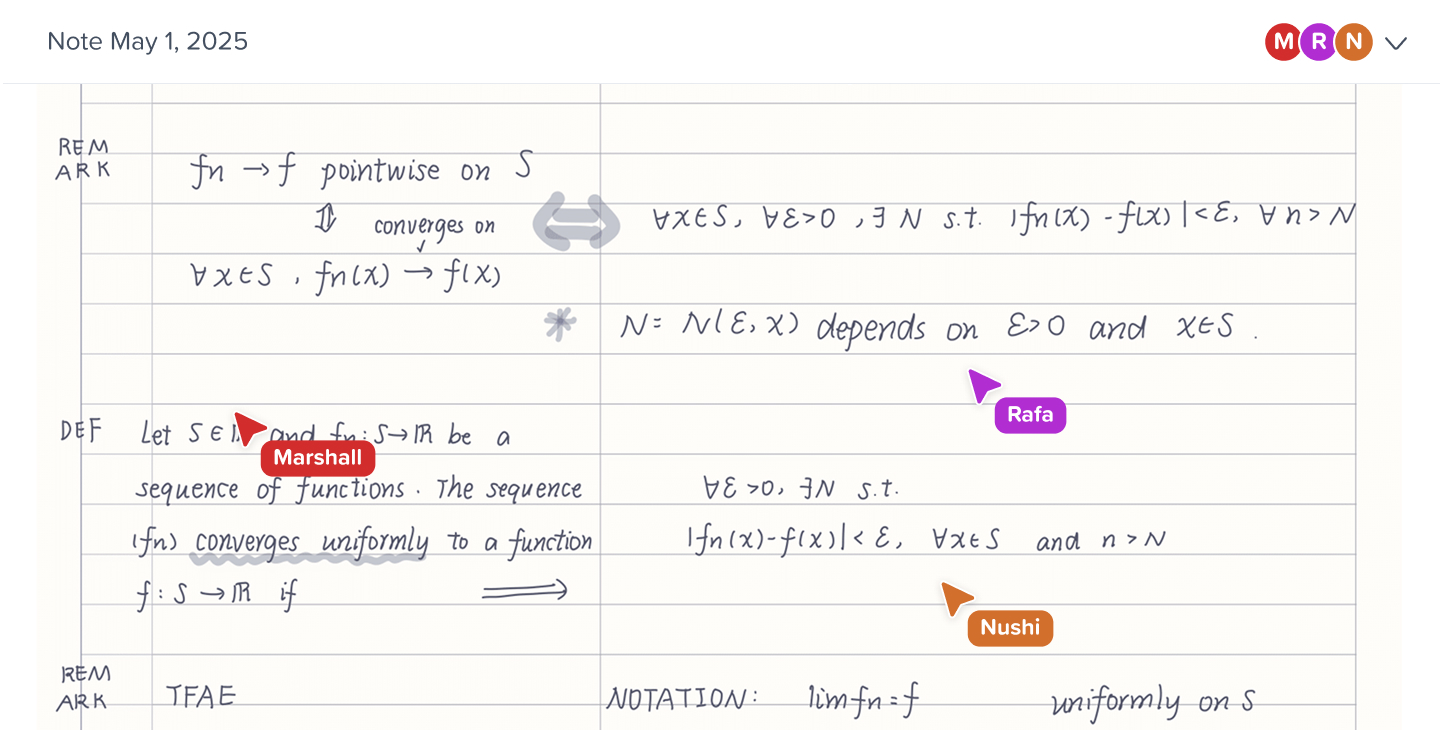
Ever wonder where your collaborator is working inside a shared note? With live cursor presence, you’ll be able to see exactly where others are editing in real time, marked by a cursor. This makes collaboration feel more natural and intuitive, perfect for walking through notes together, dividing up tasks, or reviewing changes on a project as they happen.
Please note that live cursor presence is only available on Notability Cloud.
Organize More Deeply with Nested Folders
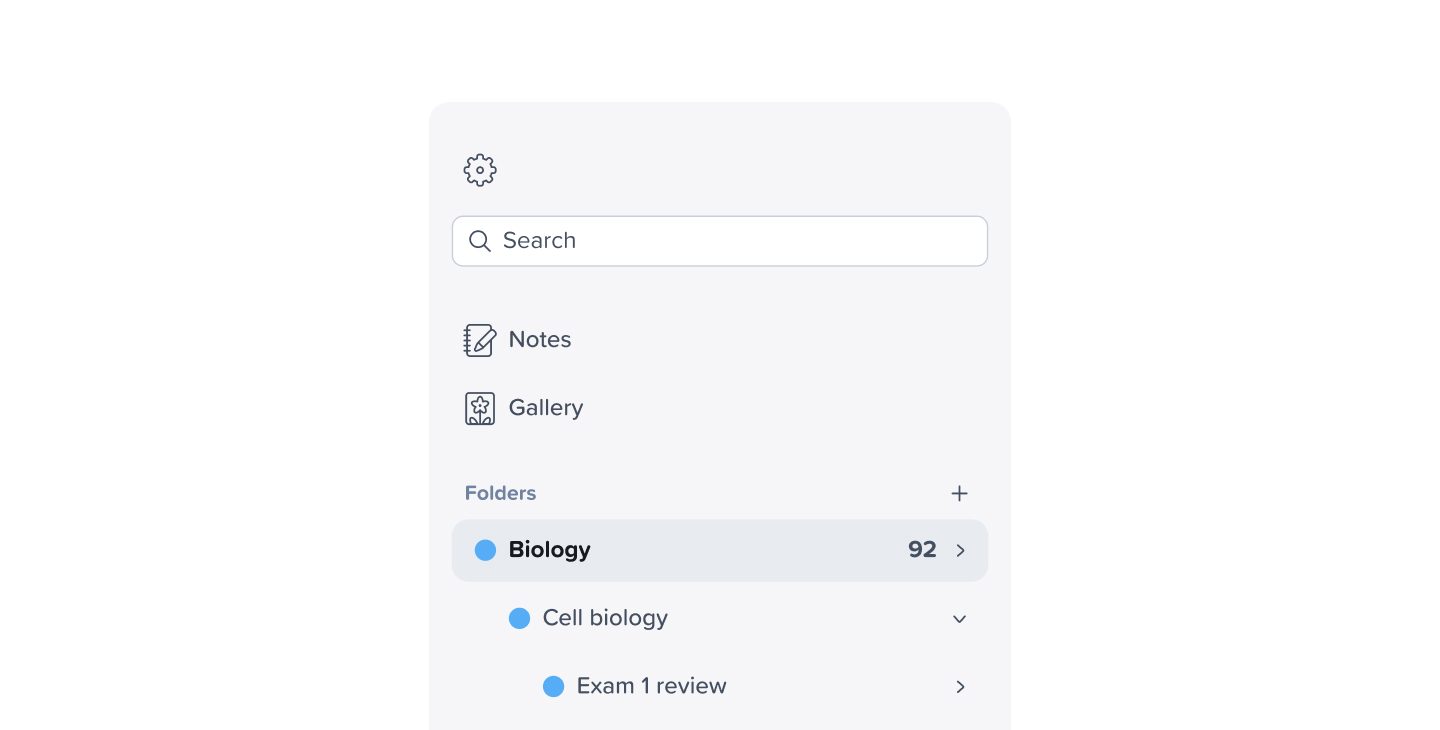
As your notes grow, your organization should grow with you. Nested folders let you create folders within folders, making it easier to structure your notes by class, subject, team, or project. From organizing coursework by semester to managing multiple team initiatives, nested folders give you more control over how your notes are grouped and accessed.
Navigate PDFs Faster with Table of Contents
PDFs are a staple for studying and work, and now they’re easier to navigate than ever. When you upload a PDF to Notability, such as a textbook, project guide, or readings for class, you’ll automatically get a Table of Contents.
Quickly jump to specific pages, duplicate and delete pages, and bookmark important pages to revisit later. No more endless scrolling—just fast and focused navigation.
New Tape Patterns and Colors
Tape is getting a refresh. We’re adding new Tape patterns and color options, giving you more ways to hide, reveal, and study information in a way that works best for you, and looks great while doing it.
Recent Features You Can Use Today
While these new tools are on the way, here are a few powerful features you can start using right now to study more effectively.
- Mix and Match Quiz Questions: Take active recall to the next level by tapping matching terms and definitions or dragging a word to its correct definition. Correct matches turn green and advance the quiz with new terms. When you finish, tap Continue to keep studying as Notability generates new and more challenging questions to help reinforce your learning.
- Study Chapters from a PDF: Generate Smart Notes and quiz questions from a specific chapter within a PDF instead of the entire document. Focus your studying exactly where you need it most—whether that’s one textbook chapter, a single lecture handout, or a key section of a guide.
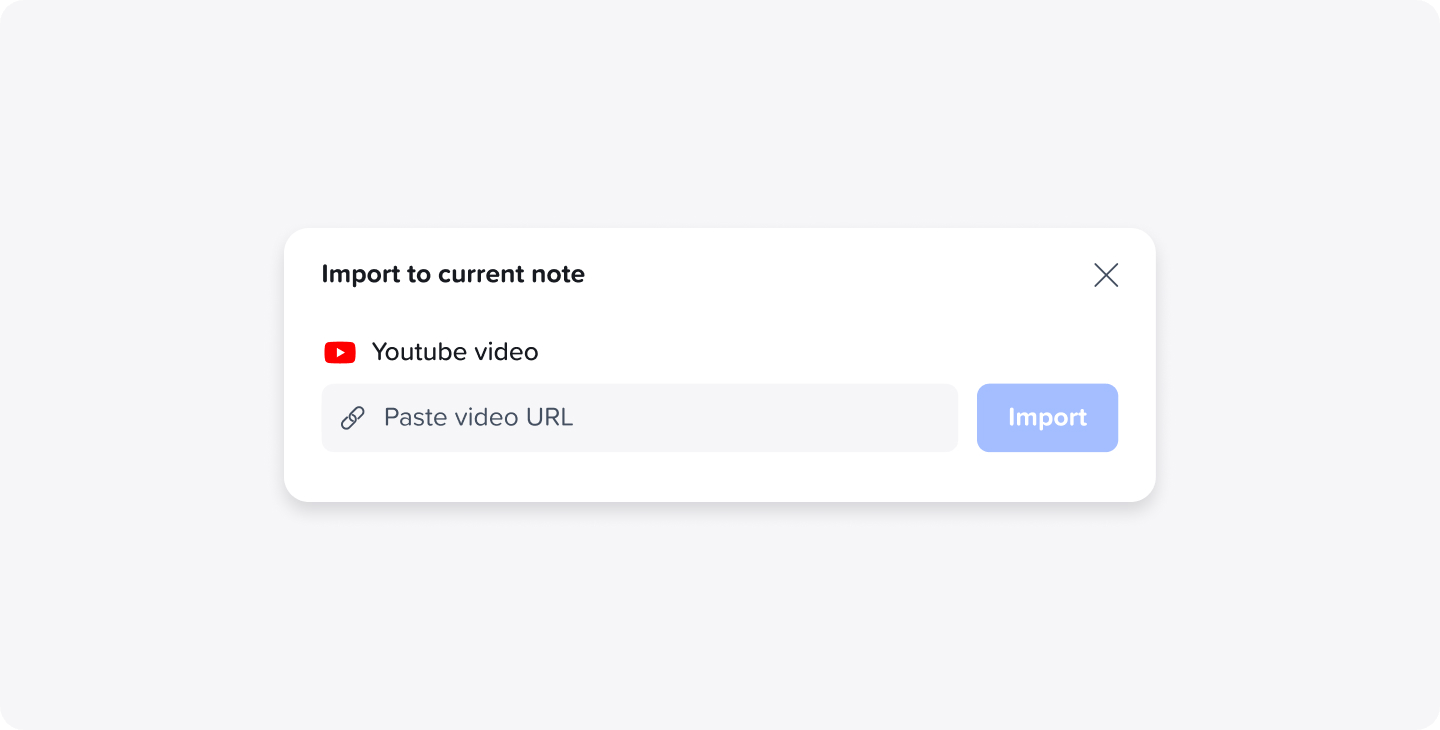
- Study with YouTube Videos on Notability Web: Play YouTube videos directly alongside your notes, making it easy to follow along with lectures, tutorials, or study videos. Notability also generates a transcript from the video, which you can search through for key topics or turn into quiz questions to review important topics.
Get Ready for the Semester Ahead
From real-time collaboration to smarter studying and better organization, these updates are designed to support how you actually learn and work, both together and independently.
Keep an eye out for these new features rolling out this semester, and make sure you’re taking advantage of everything already available in Notability to start the year strong. 💙
– The Notability Team

.png)